

 SkillClick
Cost Audit XBRL Software: Simplifying Cost Audit Reporting
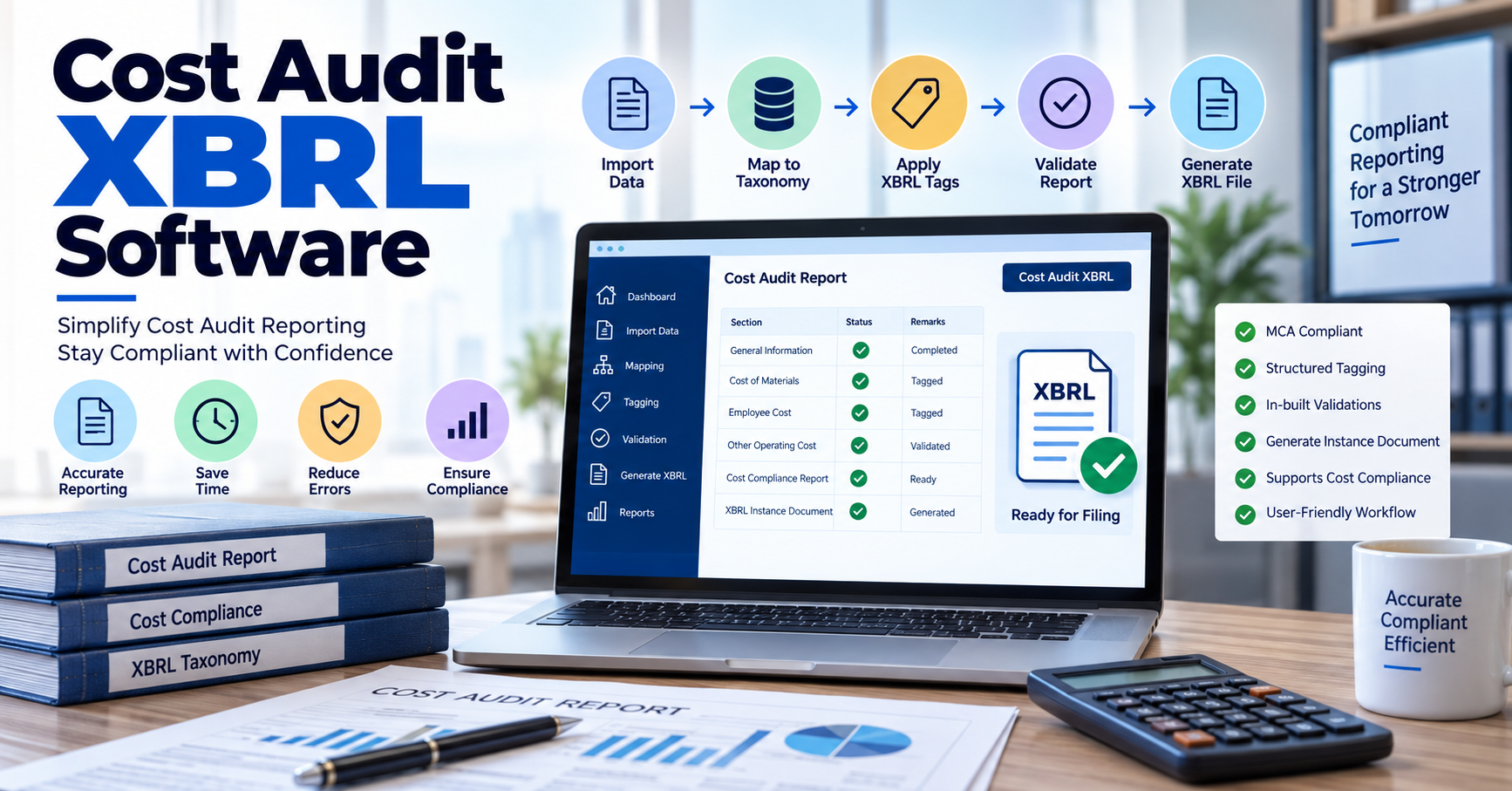
Cost audit reporting involves handling detailed financial and operational information that needs to be presented in the required regulatory format. When this information has to be converted into XBRL, businesses and professionals need a structured process for data preparation, tagging, validation, and instance document generation. Cost Audit XBRL Software is designed to support this workflow by helping organize cost audit and cost compliance reports into XBRL format.
A dedicated solution such as Cost-XBRL Filing Software can help professionals work with cost audit reports, import relevant data, apply XBRL tags, perform validations, and prepare the Cost Instance Document required for submission. This makes the XBRL conversion process more organized and easier to review.
What Is Cost Audit XBRL Software?
Cost Audit XBRL Software is a specialized application used for converting cost audit reports and cost compliance reports into XBRL format. XBRL, or Extensible Business Reporting Language, structures business information using standardized tags so that financial and compliance data can be processed electronically.
For cost reporting, the software workflow can involve importing company information, bringing in financial or cost-related data, mapping information to the applicable taxonomy, tagging report content, validating the resulting XBRL document, and generating the final instance document.
The Ministry of Corporate Affairs provides a dedicated XBRL filing manual for cost audit reports, covering the preparation, validation, and filing of Cost XBRL documents.
Why Is Cost Audit XBRL Software Important?
Cost audit reports can contain extensive information across different sections and reporting requirements. Manually handling every stage of XBRL conversion can make the process difficult to manage, particularly when information needs to be mapped and validated before filing.
A specialized software workflow can help bring these activities together. Instead of treating data preparation, tagging, validation, and document generation as separate tasks, professionals can manage them through a more structured process.
Some of the practical benefits include:
- Organized preparation of cost audit information
- Faster import of existing company and financial data
- Structured XBRL tagging
- Identification of validation errors
- Easier review of converted reports
- Generation of the Cost Instance Document
- Better continuity when previous-year information is available
Key Features to Look for in Cost Audit XBRL Software
Not every XBRL workflow is identical. When evaluating software for cost audit reporting, professionals should look at the features that support the complete reporting cycle.
Company and Previous-Year Data Import
Importing company master information can reduce repetitive data entry. Web-Cost-XBRL, for example, supports importing company master data through CIN and also provides options for importing previous-year data.
Financial Data Import
Cost audit preparation may involve information maintained in spreadsheets and other working documents. A software solution that allows relevant financial data to be imported from Excel can make data preparation more systematic.
Cost Audit Report Import
Another useful capability is importing cost audit and cost compliance reports from Word files. This can provide a starting point for further XBRL tagging instead of requiring the complete report to be recreated manually.
XBRL Tagging
Tagging connects the information in a report with the corresponding XBRL concepts. For cost reporting, text block tagging and other structured tagging capabilities can help organize information according to the applicable taxonomy.
Built-in Validation
Validation is an important stage because an XBRL instance document must satisfy applicable technical rules before submission. Webtel's Cost-XBRL software includes in-built validations and validation of the Cost Instance Document using the MCA validation tool.
The MCA has also published updates concerning its XBRL validation tools, including a Costing Taxonomy validation tool version 5.1.
How Does the Cost XBRL Workflow Work?
A typical Cost XBRL workflow can be divided into several stages:
1. Collect the required information
Company details, cost-related information, reports, and supporting data are organized before beginning the conversion.
2. Import available data
Existing company information, previous-year data, spreadsheets, or reports can be brought into the software where supported.
3. Map and tag the information
Relevant information is mapped to the applicable XBRL taxonomy and appropriate concepts are assigned.
4. Validate the instance document
The generated XBRL data is checked for applicable technical and reporting errors.
5. Review the converted report
The converted report can be reviewed before submission. Web-Cost-XBRL also provides a facility to print or view the converted Cost Audit or Cost Compliance Report in PDF format.
6. Generate the Cost Instance Document
After the relevant preparation and validation stages, the Cost Instance Document can be generated for the applicable MCA filing process.
Web-Cost-XBRL and Cost Audit Reporting
Webtel provides Web-Cost-XBRL as a dedicated solution for preparing Cost Audit and Cost Compliance Reports in XBRL format. Its listed capabilities include company master import through CIN, previous-year data import, related-party information import, Excel data import, Word report import, text block tagging, product group creation, cross-referencing alerts, validation, and Cost Instance Document generation.
The software's update page also lists support for the newer MCA Validation Tool 5.1 and registration for Financial Year 2025-26, showing why keeping the software aligned with the applicable filing environment is an important consideration.
For businesses that regularly handle Cost XBRL requirements, a structured software workflow can help maintain consistency across data preparation, tagging, validation, and document generation.
What Should Professionals Check Before Filing?
Software can support the technical preparation process, but professionals should still review the underlying information before submission. Some important checks include:
- Company identification details are correct.
- The reporting period matches the relevant cost audit report.
- The appropriate taxonomy is being used.
- Required information has been tagged correctly.
- Validation errors have been addressed.
- The generated instance document corresponds to the company and reporting period.
- The final report has been reviewed before submission.
MCA's instructions for the Cost Audit Report XBRL form specifically require the attached XBRL document to be successfully validated and to correspond to the company filing the form. The instructions also specify that the instance document should be based on the applicable taxonomy.
Why a Dedicated Cost XBRL Solution Can Help
Cost XBRL reporting is different from simply converting a conventional document into another file format. The information has to be represented using XBRL concepts and the applicable reporting structure.
A dedicated Cost XBRL solution can therefore bring several related activities into one workflow. Features such as data import, tagging, validation, cross-referencing, backup, and instance document generation can reduce repetitive work and make the preparation process easier to review.
For organizations where Cost XBRL filing is a recurring compliance activity, having a defined workflow can also make previous-year information easier to reuse and update.
FAQs
What is Cost Audit XBRL Software?
It is software designed to help prepare and convert cost audit or cost compliance reports into XBRL format, including activities such as data import, tagging, validation, and instance document generation.
Is Cost XBRL the same as regular XBRL filing?
No. Cost XBRL specifically deals with cost audit and cost compliance reporting requirements, while other XBRL filings can relate to different corporate reporting requirements and taxonomies.
Can previous-year data be imported into Cost XBRL software?
Some dedicated solutions support previous-year data import. Web-Cost-XBRL lists previous-year data and master data import among its features.
Why is XBRL validation important?
Validation helps identify technical or structural errors in the XBRL instance document before the filing stage. MCA provides a validation tool for Costing Taxonomy-based XBRL documents.
Does software replace professional review?
Software can assist with data preparation, tagging, and technical validation, but the underlying business information and reporting decisions should still be reviewed by the responsible professionals.
Conclusion
Cost Audit XBRL Software can simplify the technical workflow involved in converting cost audit and cost compliance reports into XBRL format. From importing company and financial information to tagging, validation, review, and Cost Instance Document generation, a structured solution can help professionals manage the reporting process more efficiently. The key is to combine appropriate software capabilities with careful review of the underlying information and applicable filing requirements.
- Managerial Effectiveness!
- Future and Predictions
- Motivatinal / Inspiring
- Fitness and Wellness
- Medical & Health
- Manufacturing
- Education
- Real-Estate
- Food Industry
- Hospitality
- Online Games
- Sports
- Home Services
- Civil Engineering
- Safety and Protection
- Software Products & Services
- Fashion and Jewellery
- Artificial Intelligence
- Entrepreneurship
- Mentoring & Guidance
- Marketing
- Networking
- HR & Recruiting
- Literature
- Shopping
- Career Management & Advancement