

 SkillClick
Why Does BigCommerce Store Development Take 6–8 Weeks? A Phase-by-Phase Breakdown
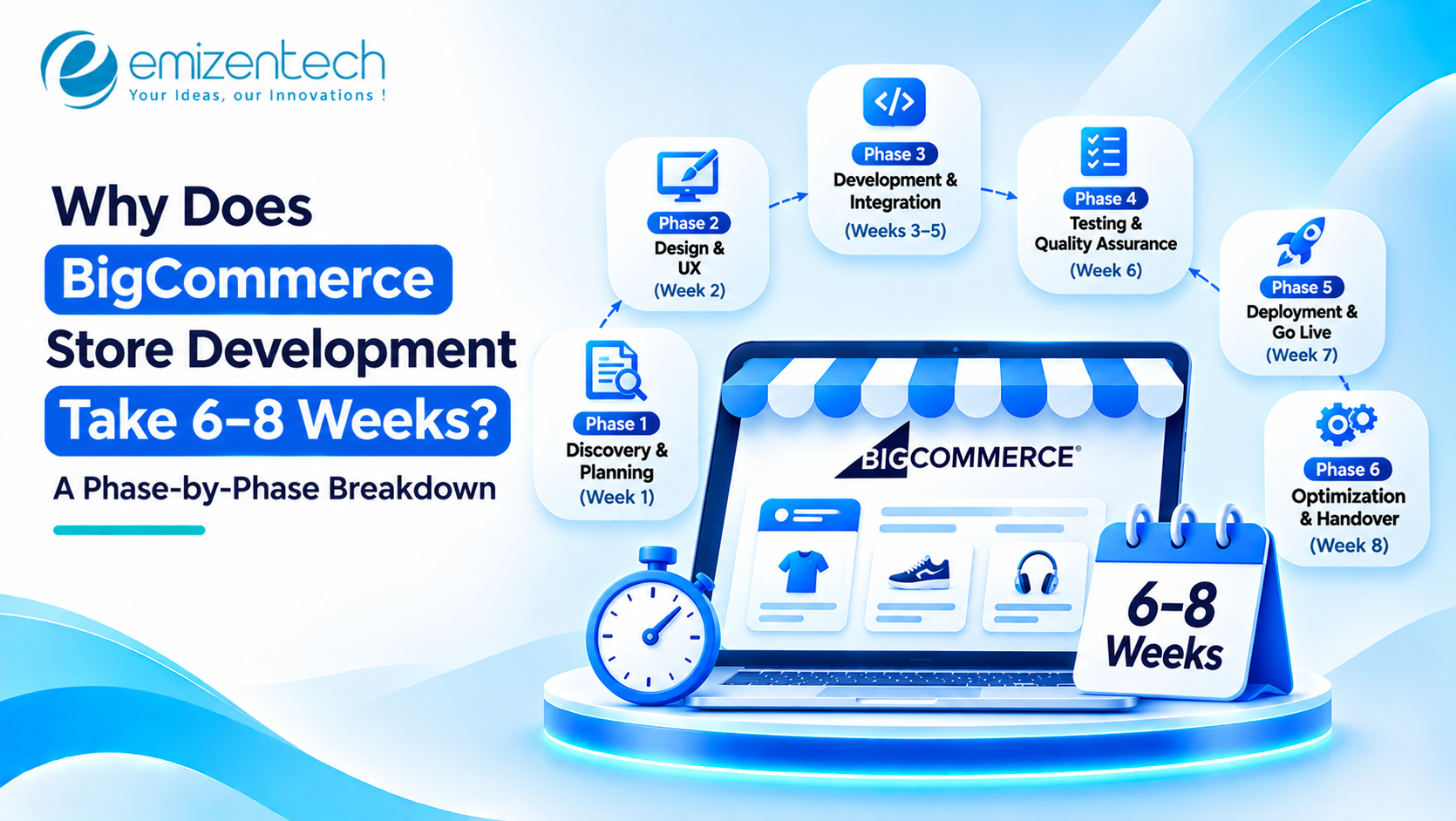
Building a BigCommerce store involves several stages beyond selecting a theme and adding products. Businesses need to plan the storefront structure, design customer-facing pages, configure shopping features, connect third-party applications, and test the complete buying experience before launch.
A standard BigCommerce store generally takes 6–8 weeks to develop, depending on its design complexity, product catalog, integrations, and customization requirements. Each phase contributes to this timeline, and delays in planning, approvals, or technical implementation can extend the overall schedule.
BigCommerce Store Development Timeline at a Glance
A typical BigCommerce project follows six development phases, starting with requirement analysis and ending with store launch. Some activities overlap to reduce the overall development time.
| Development Phase | Estimated Timeline |
|---|---|
| Requirement analysis and planning | Week 1 |
| Storefront UX and UI design | Weeks 2–3 |
| Storefront development | Weeks 3–6 |
| Third-party integrations and data setup | Weeks 4–6 |
| Testing and quality assurance | Weeks 6–7 |
| Store launch and monitoring | Week 8 |
These estimates apply to a standard project with a clearly defined scope. Stores requiring advanced customization, extensive integrations, or large-scale data migration may need additional development time.
Phase 1: Requirement Analysis and Project Planning (Week 1)
The first week focuses on understanding the store's objectives and technical requirements before development begins. This stage helps define the project scope, identify essential features, and determine how the BigCommerce development process should be planned to meet business requirements.
For a any project, the planning stage also involves selecting the right storefront architecture. Businesses can use an existing theme, customize a Stencil storefront, or consider a headless approach using Catalyst based on their functionality and flexibility requirements.
Key activities include:
-
Defining business objectives and target customers.
-
Organizing product categories and catalog structure.
-
Identifying essential storefront and checkout features.
-
Reviewing payment, shipping, and inventory requirements.
-
Listing necessary third-party integrations.
-
Preparing the project scope and development schedule.
Incomplete requirements or frequent changes in project scope can create delays in subsequent development phases.
Phase 2: Storefront UX and UI Design (Weeks 2–3)
Once the project requirements are finalized, the next step is to design the storefront around customer expectations and shopping behavior. The objective is to make product discovery, navigation, and checkout straightforward across different devices.
The design team prepares layouts for essential pages, including the homepage, product listing pages, product detail pages, shopping cart, and checkout. Each layout needs to maintain consistent branding while providing a responsive experience for mobile and desktop users.
This phase generally includes:
-
Creating wireframes for important store pages.
-
Designing the homepage and product layouts.
-
Structuring navigation and product categories.
-
Defining typography, colors, and visual elements.
-
Preparing responsive layouts for different screen sizes.
-
Reviewing designs and incorporating feedback.
Multiple design revisions or highly customized storefront requirements can extend this stage beyond the estimated two weeks.
Phase 3: BigCommerce Storefront Development (Weeks 3–6)
After design approval, developers begin converting the approved layouts into a working storefront. This is generally the most time-consuming phase because it involves configuring the store, implementing functionality, and ensuring that different components work together.
The technical approach depends on the selected architecture. Stencil-based storefronts may require customization using Handlebars, HTML, CSS, and JavaScript. Headless projects using Catalyst involve separate frontend development and API integrations, which can increase implementation time.
For businesses with complex operational requirements, enterprise commerce may involve advanced storefront customization, multiple product catalogs, specialized pricing structures, and features designed to support larger customer bases.
Common development activities include:
-
Configuring the BigCommerce store and selected theme.
-
Developing custom storefront components.
-
Setting up product categories and navigation.
-
Implementing product pages, filters, and search functionality.
-
Configuring shopping cart and checkout features.
-
Optimizing the storefront for mobile devices.
-
Implementing additional business-specific functionality.
A store using a pre-built theme with limited customization generally requires less development work than a storefront with custom layouts, advanced features, and complex user interactions.
Phase 4: Third-Party Integrations and Product Data Setup (Weeks 4–6)
A functional eCommerce store also needs to connect with the systems businesses use to manage payments, shipping, inventory, customers, and marketing activities. These integrations can run alongside storefront development when the technical dependencies allow it.
Common integration requirements include:
| Integration Type | Purpose |
|---|---|
| Payment gateways | Process customer payments securely. |
| Shipping platforms | Calculate shipping rates and manage deliveries. |
| ERP and CRM systems | Connect sales, customer, and operational data. |
| Inventory management | Synchronize stock levels across sales channels. |
| Marketing and analytics tools | Track customer activity and campaign performance. |
| Product data migration | Transfer product details, images, categories, and customer records. |
Product migration can require additional time when the existing store contains thousands of products, complex variations, or incomplete records. Developers must also validate the migrated information to ensure product details and other essential data remain accurate.
Phase 5: Testing and Quality Assurance (Weeks 6–7)
Before the store goes live, every essential feature needs to be tested to identify functional errors, integration failures, usability issues, and performance problems. This phase ensures that customers can complete their shopping journey without unnecessary interruptions.
Testing should cover the complete purchasing process, from browsing product categories to placing an order and completing payment.
Important testing activities include:
-
Checking product pages, categories, and navigation.
-
Testing shopping cart and checkout functionality.
-
Verifying payment and shipping integrations.
-
Reviewing product data and inventory synchronization.
-
Checking responsive layouts across devices.
-
Evaluating page loading speed and storefront performance.
-
Identifying security and functionality issues.
Any issues identified during testing must be resolved before launch. The number of revisions and complexity of integrations directly influence the time required for quality assurance.
Businesses can also use dedicated eCommerce testing services to evaluate storefront functionality and identify potential problems before customers access the store.
Phase 6: Store Launch and Post-Launch Monitoring (Week 8)
Once testing is complete and the final version receives approval, the store moves to the deployment stage. This phase involves preparing the production environment, connecting the domain, verifying essential configurations, and making the storefront publicly accessible.
After deployment, the development team monitors the store to ensure that customers can browse products, place orders, and complete payments without disruption.
Typical launch activities include:
-
Configuring the live domain and SSL certificate.
-
Reviewing payment and shipping settings.
-
Checking redirects and essential SEO configurations.
-
Verifying analytics and tracking tools.
-
Monitoring order processing and checkout performance.
-
Resolving issues identified after deployment.
Post-launch monitoring helps identify problems that may only become visible when the store starts receiving real customer traffic.
What Factors Can Extend the BigCommerce Store Development Timeline?
Although a standard project may take 6–8 weeks, certain technical and operational requirements can increase the development time. Identifying these factors early helps businesses establish realistic deadlines and allocate resources accordingly.
| Factor | Impact on Development Time |
|---|---|
| Frequent scope changes | Additional features and revisions require more development work. |
| Delayed design approvals | Implementation may remain on hold until designs are finalized. |
| Large product catalogs | Data migration, validation, and categorization take longer. |
| Complex integrations | ERP, CRM, and inventory connections require additional configuration and testing. |
| Custom checkout requirements | Advanced checkout functionality may involve extra technical work. |
| Multiple storefronts | Different brands, regions, and catalogs increase configuration requirements. |
| Headless architecture | Separate frontend development and API integration add complexity. |
Businesses can avoid several unnecessary delays by preparing product data, finalizing requirements, and providing timely feedback during development.
Conclusion
A standard BigCommerce store typically takes 6–8 weeks to develop, covering everything from initial planning and storefront design to integrations, testing, and launch. However, the actual timeline depends on the store's functionality, customization requirements, product catalog, and technical complexity.
EmizenTech provides BigCommerce development services covering storefront customization, third-party integrations, and other eCommerce development requirements. With 12+ years of development experience, its team helps businesses plan and build BigCommerce stores around their operational requirements and customer experience goals.
FAQs
1. Can a BigCommerce store be built in two weeks?
Yes. A basic store using a pre-built theme, limited customization, and a small product catalog may be launched within two weeks. More advanced projects generally require additional development and testing time.
2. Which phase takes the longest in BigCommerce store development?
Storefront development generally takes the longest because it involves theme customization, feature implementation, product configuration, and integration of required functionality.
3. Does using a pre-built BigCommerce theme reduce development time?
Yes. A pre-built theme reduces the amount of design and frontend development work. However, custom functionality, integrations, and additional storefront changes can still affect the overall timeline.
4. How long does it take to migrate an existing store to BigCommerce?
Migration time depends on the number of products, customer records, order history, and integrations involved. A small store may take a few weeks, while a large or complex migration can require several months.
- Managerial Effectiveness!
- Future and Predictions
- Motivatinal / Inspiring
- Fitness and Wellness
- Medical & Health
- Manufacturing
- Education
- Real-Estate
- Food Industry
- Hospitality
- Online Games
- Sports
- Home Services
- Civil Engineering
- Safety and Protection
- Software Products & Services
- Fashion and Jewellery
- Artificial Intelligence
- Entrepreneurship
- Mentoring & Guidance
- Marketing
- Networking
- HR & Recruiting
- Literature
- Shopping
- Career Management & Advancement