

 SkillClick
How to Choose Office Desks and Chairs for Employee Comfort
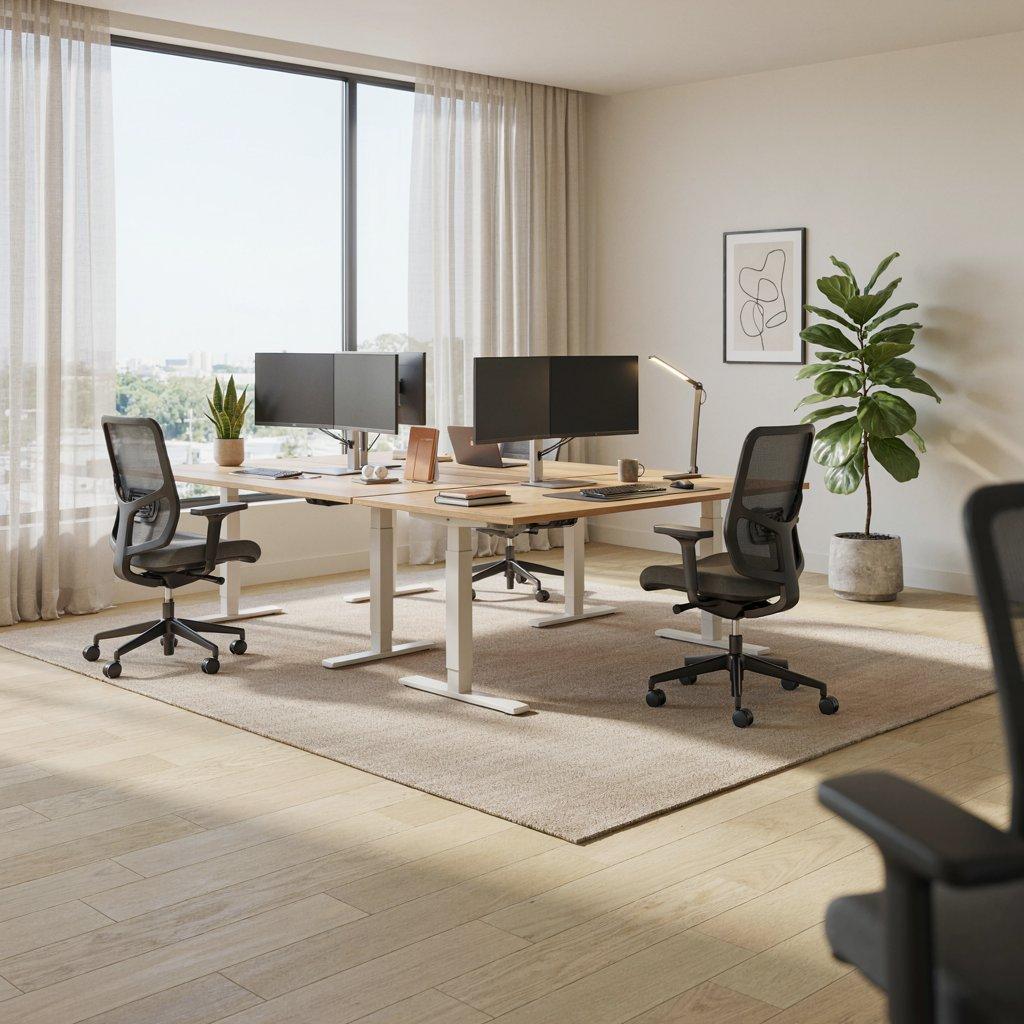
Employee comfort plays an important role in creating a productive and healthy workplace. Since employees may spend several hours a day sitting at their desks, choosing the right office desks and chairs can make a noticeable difference to their daily experience. Poorly designed furniture can contribute to discomfort, poor posture, fatigue, and reduced concentration.
The right office furniture should balance ergonomics, functionality, durability, workspace requirements, and design. Whether you are setting up a new office or upgrading an existing workspace, understanding what to look for can help you make better purchasing decisions .Working with reliable office chair suppliers can help businesses access ergonomic seating options designed to support employee comfort, posture, and productivity.
Understand Your Employees’ Needs
Before purchasing office desks and chairs, consider how employees actually use their workstations. Different roles may require different furniture arrangements.
For example, employees who work primarily on computers may need desks with sufficient space for monitors, keyboards, and other accessories. Staff who frequently handle documents may benefit from larger work surfaces, while collaborative teams may need flexible workstation arrangements.
Employee height, working posture, daily tasks, and preferred working styles should also be considered when selecting furniture.
Choose Desks With the Right Height
Desk height is one of the first factors to consider when creating a comfortable workstation. A desk that is too high or too low can make it difficult for employees to maintain a natural posture.
Ideally, employees should be able to sit comfortably with their shoulders relaxed and elbows positioned naturally while using the keyboard. Their feet should rest comfortably on the floor or on a suitable footrest.
Height-adjustable desks can provide additional flexibility, particularly in workplaces where employees have different heights or where sit-stand working is encouraged.
Consider the Size of the Work Surface
A desk should provide enough space for the equipment and materials an employee uses regularly without making the workstation feel cramped.
Consider the space required for:
- Computer monitors or laptops
- Keyboard and mouse
- Documents and notebooks
- Telephone or communication equipment
- Office accessories
- Personal belongings
For employees using multiple monitors, a wider desk may be necessary. However, a larger desk is not always better. The desk should be appropriately sized for both the employee's needs and the available office space.
Look for Ergonomic Office Chairs
A good office chair should support the body while allowing employees to change their sitting position comfortably throughout the day. Ergonomics should therefore be a major consideration when selecting office seating.
Look for chairs that offer features such as:
- Adjustable seat height
- Adequate lumbar support
- Comfortable seat cushioning
- Adjustable armrests
- A supportive backrest
- A stable five-point base
- Smooth and reliable adjustments
An ergonomic chair should allow employees to adjust the chair according to their individual body proportions rather than forcing everyone to use the same fixed position.
Pay Attention to Lumbar Support
Lower-back support is particularly important for employees who spend long periods sitting. A chair with appropriate lumbar support can help maintain the natural curve of the lower back and encourage better sitting posture.
Adjustable lumbar support can be especially useful because employees have different body shapes and preferences. When testing a chair, employees should be able to sit with their backs supported without feeling excessive pressure.
Check Seat Depth and Width
Chair dimensions can affect comfort just as much as cushioning and back support.
The seat should provide adequate support without putting pressure behind the knees. Employees should also have enough room to sit comfortably without feeling restricted.
For shared offices, chairs with adjustable seat depth can offer greater flexibility and accommodate employees with different body sizes.
Choose Adjustable Armrests
Armrests can provide useful support when employees are working at a computer, but they need to be positioned correctly. Ideally, employees should be able to rest their arms comfortably while keeping their shoulders relaxed.
Adjustable armrests allow users to change the height and sometimes the width or angle according to their needs. This can make them a valuable feature in ergonomic office chairs.
Consider Monitor and Desk Position
Choosing a comfortable chair is only part of creating an ergonomic workstation. The position of the computer monitor also affects posture.
A monitor that is positioned too low may encourage employees to bend their necks forward, while an excessively high screen can create unnecessary neck strain. Employees should be able to view their screens comfortably while maintaining a neutral head and neck position.
Monitor stands or adjustable monitor arms can help achieve a better setup when the desk itself does not provide enough flexibility.
Select Furniture According to Office Layout
Office furniture should fit naturally into the available workspace. Before purchasing desks and chairs, measure the office and consider circulation areas, storage requirements, meeting spaces, and access points.
For smaller offices, compact desks or modular workstations can make better use of available space. Larger workplaces may benefit from workstation clusters that provide employees with sufficient personal working space while supporting team collaboration.
Good space planning can also prevent employees from feeling restricted or overcrowded.
Don't Ignore Desk and Chair Adjustability
Employees are not all the same height or body type, so fixed furniture may not provide the same level of comfort for everyone.
Adjustable furniture gives employees more control over their workstation. Features such as adjustable desk heights, chair heights, backrests, armrests, and lumbar support can help employees create a setup that suits their individual requirements.
For workplaces with shared desks, adjustability becomes even more important.
Consider the Materials and Build Quality
Office furniture is a long-term investment, so durability should be considered alongside comfort. Desks should be made from materials that can withstand regular use, while chairs should have sturdy frames, reliable mechanisms, and durable upholstery.
The material should also be appropriate for the office environment. Easy-to-clean surfaces may be useful in high-traffic workplaces, while breathable chair upholstery can be preferable for employees who spend extended periods sitting.
Choosing durable furniture can reduce the need for frequent replacements and help maintain a professional workplace appearance.
Balance Comfort With Your Budget
Budget is naturally an important consideration when furnishing an office. However, focusing only on the lowest purchase price may not always be the most economical approach.
Poor-quality desks and chairs may require repairs or replacement sooner, while uncomfortable furniture can affect employee satisfaction and workplace experience.
Instead of selecting furniture based solely on price, compare factors such as:
- Ergonomic features
- Material quality
- Adjustability
- Warranty
- Expected lifespan
- Maintenance requirements
- Employee requirements
A balanced approach can help businesses invest in furniture that offers better long-term value.
Let Employees Test the Furniture
Whenever possible, allow employees to test office chairs and workstations before making a large purchase. A chair that looks comfortable in a catalogue may not feel the same for every user.
Testing furniture allows employees to evaluate the seat depth, back support, armrest position, adjustment mechanisms, and overall comfort.
For larger office projects, getting feedback from employees can also help identify common requirements before finalizing the furniture selection.
Create a Complete Ergonomic Workstation
The desk and chair should work together as a complete workstation. Simply purchasing an ergonomic chair will not solve every comfort issue if the desk, monitor, keyboard, and other equipment are positioned poorly.
A comfortable workstation should allow employees to maintain a natural posture while performing their regular tasks. The chair should provide appropriate support, while the desk should provide sufficient working space at a suitable height.
Accessories such as monitor arms, footrests, keyboard trays, and adjustable laptop stands can further improve workstation flexibility where needed.
Final Thoughts
Choosing office desks and chairs for employee comfort requires more than selecting furniture based on appearance. Ergonomics, adjustability, dimensions, materials, durability, workspace requirements, and employee preferences should all be considered before making a purchase. If you’re looking for high-quality desks and ergonomic chairs, choosing a reliable office furniture company can help you find solutions that match your workspace, employee needs, and budget.
The right office furniture can create a more comfortable and functional workplace while supporting employees throughout their working day. By assessing your team's needs and investing in well-designed desks and chairs, businesses can create workspaces that are practical, professional, and comfortable for everyday use.
- Managerial Effectiveness!
- Future and Predictions
- Motivatinal / Inspiring
- Fitness and Wellness
- Medical & Health
- Manufacturing
- Education
- Real-Estate
- Food Industry
- Hospitality
- Online Games
- Sports
- Home Services
- Civil Engineering
- Safety and Protection
- Software Products & Services
- Fashion and Jewellery
- Artificial Intelligence
- Entrepreneurship
- Mentoring & Guidance
- Marketing
- Networking
- HR & Recruiting
- Literature
- Shopping
- Career Management & Advancement