

 SkillClick
Salesforce DMS Integration for Smarter Automotive Operations
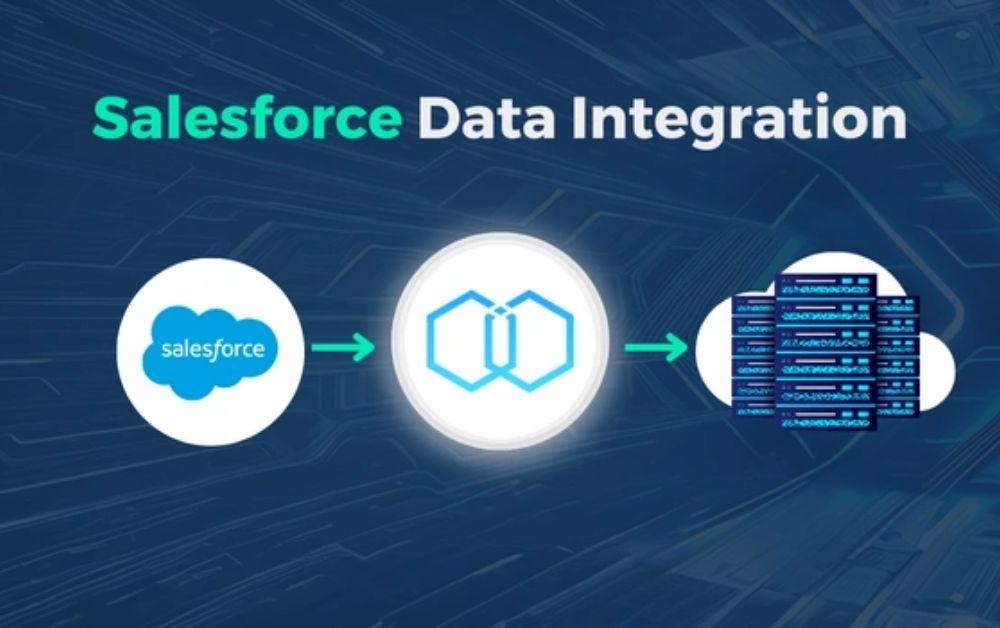
Salesforce DMS Integration helps automotive businesses connect customer relationship management with dealership operations, allowing relevant information to move between Salesforce and a Dealer Management System in a controlled way. This can reduce repetitive data entry, improve customer visibility, support faster follow-ups, and connect sales and aftersales activities without forcing the dealership to abandon its existing DMS.
For modern dealerships, this connection is becoming increasingly useful because customer information is rarely created in one place. A potential buyer may submit an online enquiry, speak with a salesperson, schedule a test drive, purchase a vehicle, and later return for servicing. If these activities remain separated across different platforms, employees can spend valuable time looking for information instead of serving customers.
A well-planned integration brings the relevant parts of those processes closer together.
Understanding the Role of Salesforce and a DMS
Salesforce and a Dealer Management System usually serve different purposes.
Salesforce is commonly used for customer relationship management, sales processes, customer communication, marketing activities, service workflows, and reporting. A DMS is designed around dealership operations and may manage areas such as vehicle inventory, sales transactions, parts, service, repair orders, and other operational information.
The two systems do not necessarily need to perform the same tasks.
Instead, they can work alongside each other.
The purpose of integration is to establish a reliable connection between systems so that useful information can be shared when a business process requires it.
This approach can help dealerships avoid creating another complicated platform while still giving teams better access to information.
Why Connected Data Matters for Dealerships
A dealership can generate a large amount of information every day.
Customer enquiries arrive through different channels. Vehicle details change as inventory moves. Service appointments are created and completed. Sales teams record conversations and follow-ups. Management needs reports to understand performance.
When these activities are managed in isolated systems, several problems can appear.
Common challenges include:
- Duplicate customer records
- Repeated information entry
- Delayed internal communication
- Incomplete customer profiles
- Manual data reconciliation
- Limited visibility across departments
- Difficulty producing combined reports
These issues may look small individually, but they can become expensive when employees deal with them every day.
Connecting systems can reduce some of this unnecessary work, provided the integration is designed around actual business requirements.

How Salesforce DMS Integration Supports the Customer Journey
The biggest opportunity is often the customer journey.
Consider a customer who is interested in purchasing a new vehicle.
The first interaction may happen through a website enquiry. The lead can be managed in Salesforce, where a salesperson follows up and records relevant communication.
When the customer books an appointment, additional information may need to be available to the dealership's operational systems. After the vehicle is sold, selected transaction or vehicle information may be useful within Salesforce for future customer communication.
Later, when the customer visits the service department, relevant information can support the next stage of the relationship.
The systems remain specialised, but the customer journey becomes more connected.
From Lead to Sale
Sales teams need more than a customer's name and phone number.
They may need to understand:
- Which vehicle interests the customer
- How the enquiry arrived
- Previous conversations
- Appointment activity
- Sales stage
- Relevant vehicle information
Connecting Salesforce with appropriate DMS information can help reduce the need to manually search for related records.
From Sale to Ownership
The relationship does not end after the vehicle is delivered.
Ownership creates opportunities for service communication, maintenance reminders, customer engagement, and future sales.
Where supported by the systems involved, selected DMS events can contribute to a more complete Salesforce customer record.
This can help employees understand where the customer is in the ownership lifecycle.
What Information Can Be Shared?
The information exchanged depends on the DMS, Salesforce configuration, business requirements, and integration architecture.
Potential data areas can include:
- Customer records
- Contact information
- Lead information
- Vehicle details
- Inventory information
- Sales information
- Appointment details
- Service-related events
- Warranty-related information
- Relevant transaction references
However, more data does not automatically mean a better integration.
Sending unnecessary information can increase complexity, maintenance requirements, and data governance risks.
A better approach is to identify the information required for each workflow and integrate only what provides practical value.
Creating a Reliable Data Flow
One of the most important parts of integration planning is deciding how information should move.
For example, if a customer record is created in Salesforce, should it automatically be sent to the DMS?
If customer information changes in both systems, which system should be considered the source of truth?
If a vehicle becomes unavailable, how quickly should that status be reflected in another system?
These questions need clear answers before implementation.
One-Way and Two-Way Integration
Some processes only require information to move in one direction.
Other processes may require two-way synchronization.
Two-way integration can be useful, but it also introduces additional complexity because changes may originate in either system.
Clear ownership rules are therefore essential.
Event-Based Information Sharing
Some businesses may benefit from information being exchanged when a specific event occurs.
For instance, an approved business event may trigger information to be passed to another system.
This can be more efficient than repeatedly transferring large amounts of information that have not changed.
The correct approach depends on the technology available and the dealership's operational needs.
Data Mapping Is a Critical Step
Two systems may describe the same information differently.
One system could use one field name for a customer's mobile number while another uses a different structure. Vehicle identifiers, customer references, addresses, dates, and status values may also follow different formats.
Data mapping establishes how those values correspond.
A good mapping exercise identifies:
- Source fields
- Destination fields
- Required fields
- Optional fields
- Data formats
- Validation rules
- Unique identifiers
- Transformation requirements
This work may not be visible to customers, but it has a major effect on the reliability of the final integration.
Avoiding Duplicate Customer Records
Duplicate records can become a serious issue in automotive CRM environments.
A customer might already exist in Salesforce when another record arrives from the DMS. If the integration simply creates a new record every time, the dealership may end up with multiple versions of the same customer.
That can lead to:
- Confusing customer histories
- Incorrect reporting
- Repeated communications
- Poor sales visibility
- More manual cleanup
Matching rules and unique identifiers can help reduce this problem.
The exact method should be based on the data available in the connected systems rather than using assumptions.
Automation Can Reduce Routine Work
Integration becomes even more useful when connected information supports automation.
For example, a dealership may create workflows around certain customer or operational events.
Depending on the Salesforce setup, automation could help with activities such as:
- Assigning follow-up tasks
- Updating sales stages
- Notifying appropriate employees
- Creating internal activities
- Updating selected customer information
- Supporting service-related communication
Automation should have a clear purpose.
Automating a poor process does not solve the underlying problem. It can simply make the same problem happen faster.
That is why process design should come before workflow automation.
Reporting Becomes More Useful With Connected Information
Management often needs answers that cross departmental boundaries.
For example:
How many leads became customers?
Which sales activities generate the strongest results?
How many customers returned for aftersales service?
How is customer engagement changing after a vehicle purchase?
When important information exists in separate systems, answering these questions may require manual data collection.
A properly designed Salesforce integration can make selected information available for more useful reporting and analysis.
The reporting model still needs to account for data definitions and sources. Connecting systems does not automatically make every report accurate.
Security Should Be Designed Into the Integration
Customer and dealership information should be handled carefully throughout the integration lifecycle.
Businesses should consider:
- Authentication
- Access permissions
- Data transmission security
- User roles
- API access
- Logging
- Error messages
- Data retention
- Audit requirements
- Applicable privacy obligations
Employees should have access to the information necessary for their responsibilities.
Integration credentials should also be managed securely, and failed transactions should be monitored rather than ignored.
Security should be part of the initial architecture rather than something added after the system is already operating.
A Better Way to Approach Implementation
A successful Salesforce DMS Integration usually starts with business processes rather than technology.
Start With the Current Workflow
Document how information currently moves between sales, customer service, service departments, management, Salesforce, and the DMS.
This can reveal where employees are spending time on unnecessary manual tasks.
Select Priority Processes
Not every process needs to be integrated immediately.
Start with workflows that have a measurable business benefit.
For example, improving lead handling may be a higher priority than transferring information that nobody regularly uses.
Define Data Ownership
Every important data element should have a clear owner.
This helps prevent conflicting updates and makes future troubleshooting easier.
Build With Testing in Mind
Testing should cover more than successful transactions.
Teams should also test:
- Missing information
- Duplicate records
- Invalid values
- System downtime
- Failed authentication
- Unexpected updates
- High-volume scenarios
This gives the business a better understanding of how the integration behaves under different conditions.
Train the People Using It
Employees should know what has changed and where they should perform each task.
Good training can reduce confusion and improve adoption.
A technically strong integration can still fail to deliver value if employees do not understand the new workflow.
Common Mistakes to Avoid
Some integration projects become unnecessarily difficult because businesses try to do too much at once.
Avoid these common mistakes:
- Integrating every available field without a business reason.
- Ignoring duplicate records during planning.
- Failing to define the source of truth.
- Treating API connectivity as the complete project.
- Skipping proper user testing.
- Forgetting error monitoring.
- Making workflows more complicated than necessary.
- Launching without user training.
- Ignoring future maintenance requirements.
A simpler integration that solves important problems can be more valuable than a highly complex system that employees struggle to use.
Selecting a Salesforce Integration Partner
The technology involved in connecting Salesforce and a DMS is only one part of the project.
The implementation partner should understand the business process behind the technology.
Look for experience in areas such as:
- Salesforce consulting
- DMS integration
- Automotive workflows
- Data migration
- API-based integration
- Workflow automation
- Data quality
- Security
- Testing
- User training
- Ongoing support
PACC Team provides Salesforce consulting and related implementation capabilities for automotive businesses, including DMS integration, data migration, workflow automation, training, and support.
A good partner should also be willing to explain why a particular integration approach is suitable rather than simply recommending the most technically advanced option.
Building a More Connected Dealership
The automotive industry depends heavily on timely information.
Customers expect quick responses. Sales teams need accurate vehicle and customer information. Service departments need access to relevant ownership details. Managers need reliable business data.
Salesforce DMS Integration can help connect these different parts of dealership operations when it is planned around real workflows and clearly defined data requirements.
The goal is not to make Salesforce and the DMS identical. It is to allow each platform to perform the work it is designed for while creating useful connections between them.
For dealerships, that can mean fewer repetitive tasks, better customer visibility, smoother internal processes, and a stronger foundation for future automation.
As dealership operations continue to become more digital, connected systems will play an important role in helping businesses manage customer relationships without losing sight of the operational data that supports them.
- Managerial Effectiveness!
- Future and Predictions
- Motivatinal / Inspiring
- Fitness and Wellness
- Medical & Health
- Manufacturing
- Education
- Real-Estate
- Food Industry
- Hospitality
- Online Games
- Sports
- Home Services
- Civil Engineering
- Safety and Protection
- Software Products & Services
- Fashion and Jewellery
- Artificial Intelligence
- Entrepreneurship
- Mentoring & Guidance
- Marketing
- Networking
- HR & Recruiting
- Literature
- Shopping
- Career Management & Advancement