

 SkillClick
What Should I Do If My Mac Screen Is Black?
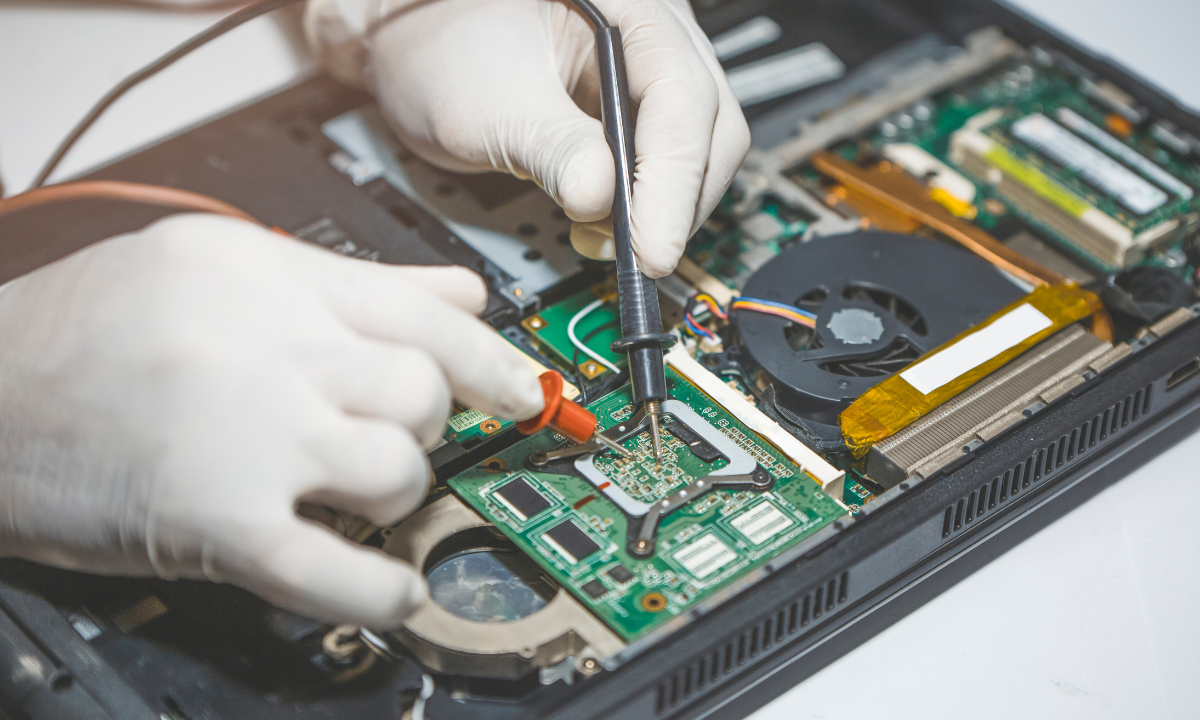
A black screen is one of the more unsettling things that can happen to a Mac, especially when you can hear the fan running or see the keyboard backlight on, but nothing appears on the display no matter what you try. It's easy to assume the worst, but a black screen doesn't always mean serious internal damage.
Understanding the difference between a Mac that's genuinely not powering on and one that's on but simply not displaying anything can help you take the right first steps before deciding whether professional repair is needed.
Checking Whether Your Mac Is Actually On
Before assuming the worst, it's worth confirming whether your Mac is powered on at all. Listening for fan noise, checking if the keyboard backlight is active, or feeling for warmth from the chassis after a few minutes can indicate the machine is running even though the screen shows nothing. If you're on a MacBook, checking whether Caps Lock still lights up when pressed is another simple way to confirm the system is responsive internally, even if the display itself isn't showing anything. This distinction matters significantly, since a Mac that's clearly running but not displaying points toward a display or graphics issue, while a completely unresponsive Mac suggests a different category of fault involving power delivery or the logic board.
Common Causes of a Black Screen While the Mac Is Running
When a Mac is audibly running but the screen stays black, a failed or disconnected display cable is a frequent cause, particularly in MacBook models where the cable connecting the logic board to the screen can wear down after years of the lid being opened and closed. Graphics card issues, whether related to the integrated or discrete GPU depending on your model, can also produce a black screen, sometimes triggered by overheating or a driver conflict following a recent software update. A display that's simply set to an extremely low brightness, or a Mac that's stuck in a sleep state it isn't waking from properly, are simpler explanations worth ruling out before assuming a hardware fault is involved. For Mac owners exploring Mac Repairs Hampton after facing this exact scenario, display cable and graphics-related faults are consistently among the most common causes identified once a proper diagnostic is carried out.
Common Causes When the Mac Won't Turn On At All
If there's no fan noise, no backlight, and no response whatsoever, the issue is more likely related to power delivery. A faulty charger or charging port can prevent the Mac from receiving enough power to start up in the first place. A battery that's completely depleted or has failed can produce the same symptom, particularly in older MacBook models. In more serious cases, a logic board fault can prevent the system from powering on at all, which typically requires professional diagnosis to confirm and address properly.
Simple Steps to Try First
A few basic checks are worth attempting before booking a repair. Connecting your Mac to power and allowing it to charge for at least thirty minutes before attempting to start it again rules out a simply depleted battery. Performing a forced restart by holding the power button for ten seconds, then trying again, resolves some temporary black screen issues without needing further intervention. If you have access to an external display, connecting it can help determine whether the Mac itself is functioning normally and the issue is isolated specifically to the built-in screen.
A Recent Customer Experience
★★★★★ Google Review — Sophie Radcliffe, Hampton VIC
"My MacBook screen went completely black one afternoon while I was working, though I could still hear it running and the keyboard lights were on. I brought it into Same Day Mac Repairs and they diagnosed a faulty display cable within the same visit. They had the part in stock and had it replaced before the end of the day, which meant I wasn't without my laptop for long. The screen has worked perfectly since with no flickering or issues at all. I appreciated that they explained what had actually failed and why, rather than just fixing it without any context. It made the whole experience feel much less stressful than I expected going in."
Why Professional Diagnosis Is Worth It
A black screen can stem from a range of causes that look identical from the outside but require completely different repairs, from a straightforward cable replacement to a more involved graphics or logic board issue. Attempting to diagnose this yourself without the right tools risks missing the actual cause, particularly since opening a MacBook to inspect the display cable involves delicate components that are easy to damage further without proper experience. A structured diagnostic tests power delivery, the display cable, and graphics components separately, ensuring the real issue is identified accurately before any repair work begins.
Conclusion
A black Mac screen is understandably alarming, but in most cases the underlying cause, whether a display cable, a graphics fault, or a power delivery issue, is identifiable and repairable without needing to replace the entire machine. Working through the basic checks first can help clarify whether you're dealing with something simple or something that needs a closer look, but persistent black screens are best left to a proper diagnostic rather than extended guesswork. Same Day Mac Repairs offers thorough diagnostics for black screen issues, helping you understand exactly what's gone wrong and get your Mac back to normal without unnecessary delay.
- Managerial Effectiveness!
- Future and Predictions
- Motivatinal / Inspiring
- Fitness and Wellness
- Medical & Health
- Manufacturing
- Education
- Real-Estate
- Food Industry
- Hospitality
- Online Games
- Sports
- Home Services
- Civil Engineering
- Safety and Protection
- Software Products & Services
- Fashion and Jewellery
- Artificial Intelligence
- Entrepreneurship
- Mentoring & Guidance
- Marketing
- Networking
- HR & Recruiting
- Literature
- Shopping
- Career Management & Advancement