

 SkillClick
Why Is My Computer Not Detecting the Hard Drive?
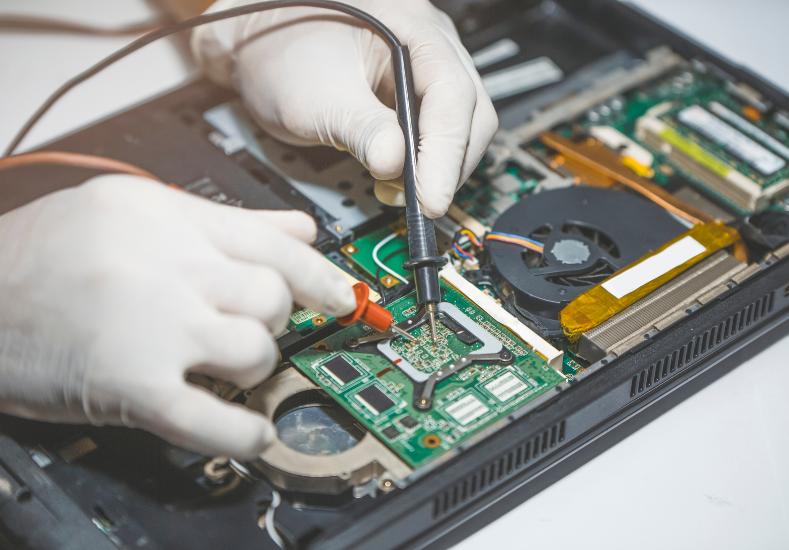
There's a particular wave of panic that hits when you turn on your computer and it simply can't find your hard drive at all. Maybe you're greeted with an error message about a missing operating system, maybe the drive just doesn't show up in your file explorer, or maybe your computer skips straight to a blank screen with no explanation whatsoever. For most people, this immediately raises fears about losing years of photos, documents, and irreplaceable files. While this situation is genuinely serious and shouldn't be ignored, it's important to know that a hard drive not being detected doesn't automatically mean your data is gone, and in many cases the issue is more fixable than it first appears.
Common Signs Your Hard Drive Isn't Being Detected
This problem shows up in a few distinct ways depending on what's actually going wrong. Some computers boot normally but the drive simply doesn't appear in the file system, meaning the operating system loaded from elsewhere but can't see the storage drive at all. Others fail to boot entirely, displaying messages like "no bootable device found" or getting stuck on a black screen before even reaching the login screen. In some cases, the drive is detected intermittently, appearing and disappearing depending on how the computer is moved or handled, which often points to a specific type of underlying fault rather than complete drive failure.
Connection and Cable Issues
Before assuming the worst about the drive itself, connection issues are worth ruling out first, since they're often the simplest problem to resolve. In desktop computers, a loose SATA or power cable connecting the drive to the motherboard can easily cause detection failures, particularly after the case has been opened for cleaning or upgrades. In laptops, while less commonly user-accessible, internal connectors can work loose over time due to general wear, drops, or heavy handling during transport. A drive that was working perfectly one day and undetected the next, without any obvious cause, often points toward exactly this kind of loose or failing connection rather than a deeper hardware problem.
Hard Drive Failure and Corruption
When connections check out fine, actual drive failure becomes the more likely explanation, and this can happen in a few different ways. Mechanical hard drives can suffer from failing internal components, sometimes producing unusual clicking or grinding noises before they stop being detected entirely. Solid-state drives, while generally more reliable, can still fail due to controller issues or simply reaching the end of their write cycle lifespan. Corrupted partition tables or file system errors can also cause a perfectly healthy drive to become undetectable to the operating system, even though the physical hardware itself remains intact and potentially recoverable. For anyone dealing with this issue, computer repairs clarinda technicians frequently see a mix of both genuine hardware failure and simple corruption cases, which is exactly why proper diagnosis matters before assuming the drive and its contents are permanently lost.
A Recent Customer Experience
★★★★★ Google Review — Andrew Papadopoulos, Clarinda VIC
"My desktop suddenly couldn't find my hard drive at all one morning, no error message, it just wasn't showing up anywhere. I had years of family photos and important documents on there with no proper backup, so I was genuinely sick with worry. I brought it into Same Day Computer Repairs and they diagnosed a corrupted partition table rather than actual drive failure, which was such a relief to hear. They managed to recover every single file and set the drive back up properly, then also helped me set up a proper backup system so I'm never in that position again. The whole process was explained clearly and the pricing was fair given what was at stake. I honestly can't thank them enough for saving those photos, some of which I'll never be able to replace. Would recommend them to absolutely anyone dealing with a similar scare."
What to Do If This Happens to You
If your computer suddenly can't detect your hard drive, the most important first step is to avoid restarting repeatedly or attempting DIY software fixes, since this can sometimes worsen the situation, particularly if the drive is mechanically failing. Listening for unusual sounds, such as clicking or grinding, can offer a clue as to whether physical failure is likely, though this should be left to a professional to properly diagnose rather than opening the case yourself. Avoiding any data recovery software downloads onto the same computer is also wise, since this can sometimes overwrite recoverable data before a professional has a chance to properly assess the drive.
Why Professional Diagnosis Matters So Much Here
Few computer issues carry as much potential risk as a missing hard drive, since the wrong approach can turn a recoverable situation into a permanent data loss scenario. A proper diagnostic distinguishes between a simple connection issue, corrupted file system, and genuine mechanical failure, each requiring a completely different approach and carrying very different implications for your data. Attempting recovery software or DIY fixes without this understanding risks making a fixable problem significantly worse, which is why professional assessment is particularly important in this specific situation compared to many other computer issues.
Protecting Yourself Going Forward
Once your drive issue has been resolved, setting up a proper backup routine is one of the most valuable steps you can take. Whether through an external drive, network storage, or a cloud backup service, having your important files duplicated elsewhere means that even a genuine drive failure in the future becomes an inconvenience rather than a disaster. Regularly checking that backups are actually running successfully, rather than assuming they are, closes the gap that catches so many people off guard when a drive eventually does fail.
Conclusion
A computer that suddenly can't detect its hard drive is one of the more frightening problems you can encounter, largely because of what might be at stake in terms of personal files and memories, but it's rarely a hopeless situation. Whether the cause turns out to be a loose connection, file system corruption, or genuine drive failure, a proper diagnostic gives you the clearest possible picture of what's recoverable and what steps to take next. If you're facing this exact problem, resisting the urge to try random fixes yourself and getting professional help quickly gives you the best possible chance of recovering your data. Same Day Computer Repairs offers careful, experienced diagnosis for undetected hard drives, helping you understand exactly what's happened and giving your files the best chance of a full recovery.
- Managerial Effectiveness!
- Future and Predictions
- Motivatinal / Inspiring
- Fitness and Wellness
- Medical & Health
- Manufacturing
- Education
- Real-Estate
- Food Industry
- Hospitality
- Online Games
- Sports
- Home Services
- Civil Engineering
- Safety and Protection
- Software Products & Services
- Fashion and Jewellery
- Artificial Intelligence
- Entrepreneurship
- Mentoring & Guidance
- Marketing
- Networking
- HR & Recruiting
- Literature
- Shopping
- Career Management & Advancement