

 SkillClick
WordPress to Webflow Migration: Cost, Process and SEO Checklist
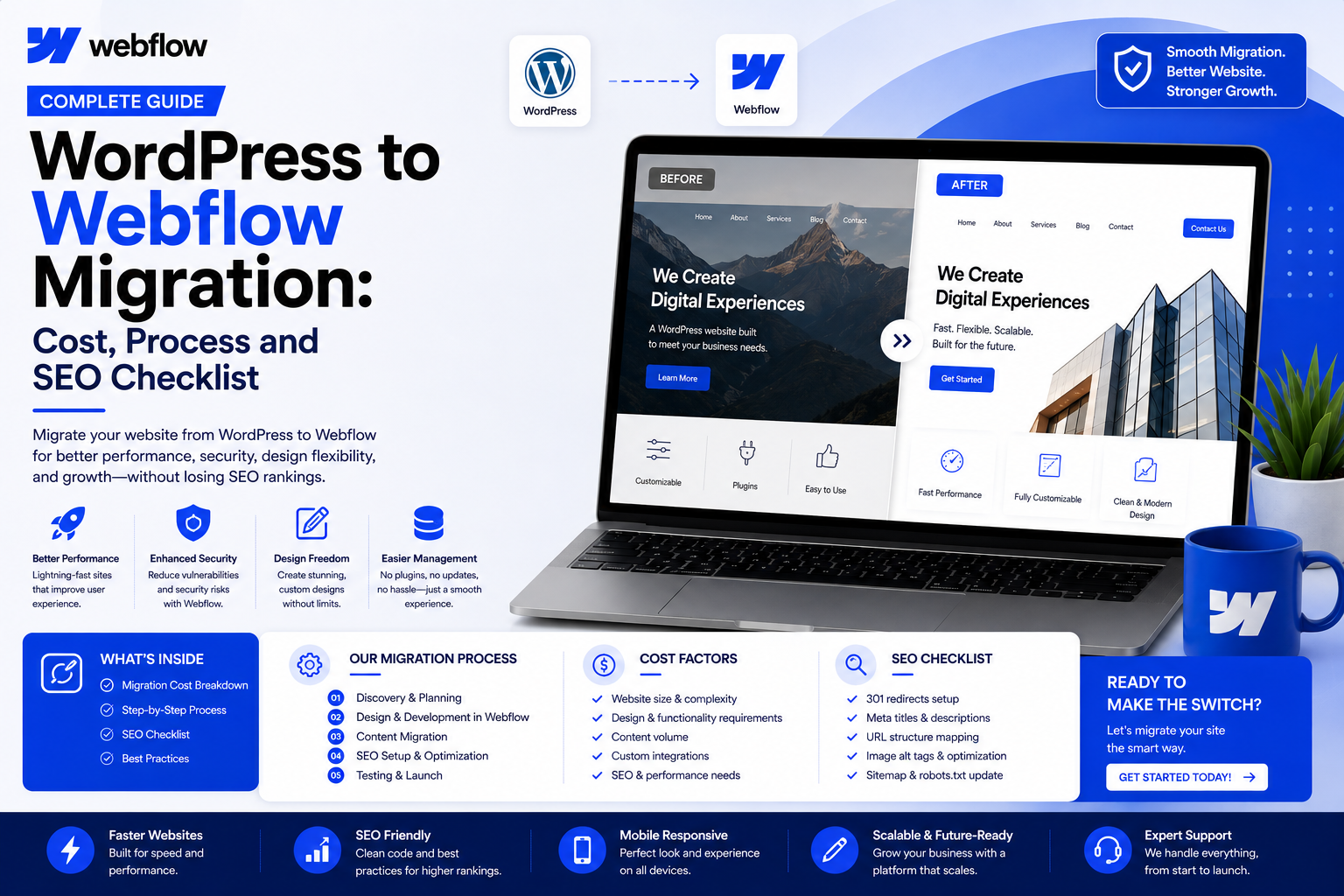
Moving a website from one platform to another is never a copy-paste job, and WordPress to Webflow migration is no exception. It means rebuilding your design, content, and functionality on a new system while protecting what already works: rankings, traffic, and user experience.
More businesses are considering a move to Webflow for its visual design flexibility, faster performance, and simpler hosting. But without careful planning, migration can lead to broken links, missing content, lost metadata, and dips in organic visibility. Here's what the process involves, what it costs, and how to protect your SEO along the way.
What Is WordPress to Webflow Migration?
WordPress to Webflow migration means moving your content, design, and functionality from WordPress, a PHP and plugin-based CMS, to Webflow, a visual, cloud-hosted platform with its own CMS. It isn't a direct file transfer: pages, posts, images, forms, and SEO settings usually need to be rebuilt, not simply imported.
Example: Custom fields for author bios can't be imported as-is; they must be rebuilt as CMS Collections. Tip: Map your content types before starting.
Why Move From WordPress to Webflow?
Common reasons include faster load times through Webflow's cloud hosting, less reliance on plugins that slow sites down or create security risks, a visual canvas for design changes without code, simpler maintenance, and cleaner code output.
Webflow isn't automatically better for every business. Sites with heavy custom functionality or deep plugin dependencies may still be better served by WordPress. The right choice depends on your site's complexity and your team's resources.
WordPress vs. Webflow: Key Differences
| Feature | WordPress | Webflow | What Changes |
|---|---|---|---|
| Hosting | Self-hosted/managed | Built-in cloud hosting | No separate host to manage |
| Content | Custom fields via plugins | Native CMS Collections | Structure rebuilt |
| Design | Themes, page builders | Visual, no-code canvas | Recreated, not imported |
| Plugins | Thousands available | Limited native options | Alternatives needed |
| Code Output | Varies by theme | Clean, standardized | Often faster |
| eCommerce | WooCommerce | Webflow Ecommerce | Products, checkout rebuilt |
| SEO Controls | Plugin-based (Yoast, etc.) | Built-in SEO fields | Metadata migrated manually |
Pro Tip
Don't assume plugins have a one-to-one Webflow equivalent. Review active plugins early and identify replacements or workarounds for each.
What to Prepare Before Migration
Audit Your Existing WordPress Website
Get a clear picture of your pages, posts, media, plugins, and integrations before migrating. Skipping this step means things get forgotten and surface after launch.
Example: A 200-post blog with WooCommerce needs a very different plan than a 10-page site. Tip: Use a crawling tool to list all live URLs.
Create a Complete Content and URL Inventory
Document every URL, its content, metadata, and current search performance. This becomes the foundation for your redirect map later.
Example: A missed URL can turn a Google result into a 404. Tip: Add traffic data next to each URL to prioritize.
Set Up Your Webflow Website
Setting up your Webflow project means choosing a plan, configuring hosting, and building your CMS Collection structure before content goes in.
Example: A "Services" custom post type needs a matching Collection built first. Tip: Plan CMS fields on paper before loading content.
Pro Tip
Build your CMS structure for long-term flexibility, not just today's content, to save rework as your site grows.
Recreate the Website Design
Webflow doesn't import your WordPress theme. Design has to be rebuilt visually in Webflow's canvas, either replicating your current brand or refreshing it.
Example: Unique animations need to be rebuilt using Webflow interactions. Tip: Start with your most-visited pages first.
Migrate Pages, Blog Posts, Images, and Other Content
Rebuild WordPress CMS Content in Webflow
Static pages, posts, and media all need to move into their new Webflow structure individually. Missed content directly affects SEO and user experience.
Example: A 150-post blog needs close attention to internal links as URLs shift. Tip: For large volumes, use Webflow's CMS API or CSV import.
Recreate Forms, Integrations, and Custom Functionality
WordPress forms, booking tools, and custom plugins generally can't transfer directly. They need Webflow-native replacements or third-party integrations, since broken forms mean lost leads and missing integrations disrupt CRM syncing or payments.
Example: A booking plugin needs a Webflow-compatible tool or embedded widget. Tip: Test forms and integrations in staging first.
Pro Tip
List plugins by function, not name. This makes it easier to find a Webflow-compatible replacement.
Preserve Website URLs
Set Up 301 Redirects
Whenever URLs change, 301 redirects tell search engines and visitors where the new page lives. Missing redirects cause 404 errors and lost link equity.
Example: If /services/web-design becomes /web-design, a redirect preserves both users and rankings. Tip: Keep URLs close to the original.
Migrate SEO Metadata
Title tags, meta descriptions, headings, and alt text need to move into Webflow's native SEO fields. Losing metadata is a common cause of post-migration traffic drops.
Example: A page ranking well can lose that ranking if its title tag isn't recreated. Tip: Prioritize your top-traffic pages.
Test the New Webflow Website
Before launch, test every page, form, redirect, and integration, ideally on a staging domain. Check for broken links, mobile responsiveness, page speed, and metadata.
Example: A missed mobile layout issue hurts both UX and mobile rankings. Tip: Test across multiple devices and browsers.
Launch the Migrated Website
Launch involves connecting your domain, confirming redirects are live, and making sure search engines can crawl the new site properly.
Example: Incorrect DNS updates can cause downtime. Tip: Launch during lower-traffic periods.
Monitor SEO and Performance After Migration
Migration doesn't end at launch. Track rankings, traffic, crawl errors, and indexation for weeks afterward, since search engines need time to re-crawl the site.
Example: A sudden drop in one keyword cluster may signal a missed redirect. Tip: Compare weekly performance to your baseline for two to three months.
WordPress to Webflow Migration Challenges
- Content migration: moving large volumes of pages and posts accurately takes time
- CMS restructuring: custom fields don't map directly to Collections
- Design recreation: themes must be rebuilt visually, not imported
- Plugin replacements: many plugins have no exact Webflow equivalent
- Custom functionality: complex features may need custom code or third-party tools
- Forms and integrations: CRM, email, and payment connections need rebuilding
- URL changes: structural differences can require extensive redirect mapping
- SEO preservation: metadata, headings, and internal links need careful transfer
- Performance differences: Webflow can behave differently under real traffic
- Mobile responsiveness: behavior must be verified across breakpoints
How Much Does WordPress to Webflow Migration Cost?
There's no universal fixed price. Costs vary based on website size and page count, CMS content volume, design complexity, custom functionality, third-party integrations, eCommerce requirements, content cleanup, SEO migration work, testing, and post-migration support.
A small brochure site needs far less time and budget than a large blog or an eCommerce store with hundreds of products. An accurate estimate requires reviewing your specific site.
Pro Tip
Ask for a detailed scope breakdown from any Webflow development partner, not just a single number, so you can compare quotes fairly.
WordPress to Webflow SEO Checklist
- Preserve URL structures wherever possible
- Set up 301 redirects for changed URLs
- Migrate title tags and meta descriptions
- Recreate heading structure (H1, H2, H3)
- Add image alt text sitewide
- Rebuild internal linking
- Set canonical tags correctly
- Submit an updated XML sitemap
- Configure robots.txt correctly
- Add structured data where applicable
- Set up Open Graph and social metadata
- Reconnect Google Search Console
- Verify analytics tracking
- Check indexability of key pages
- Monitor traffic and rankings post-launch
WordPress to Webflow Migration Checklist
- Website audit and content inventory
- URL inventory and redirect mapping
- Webflow project and CMS setup
- Design recreation and content migration
- Forms and integrations rebuilt and tested
- SEO metadata and redirects configured
- Analytics and tracking verified
- Mobile and performance testing
- Full QA review and launch
- Post-migration monitoring
Frequently Asked Questions
Can I migrate WordPress to Webflow? Yes, though it requires rebuilding content, design, and functionality rather than a direct import.
How long does migration take? It depends on site size and complexity, from a few weeks for small sites to longer for larger or eCommerce sites.
How much does it cost? Cost depends on page count, CMS volume, design complexity, integrations, and eCommerce needs. There's no fixed universal price.
Will I lose SEO rankings? Rankings can fluctuate during any migration. Careful URL, metadata, and redirect preservation minimizes risk, though results can't be guaranteed.
Can I keep the same domain? Yes, your domain can be pointed to your new Webflow site.
Can WordPress blog content move to Webflow CMS? Yes, though it involves mapping fields and formatting content correctly.
Can I keep my existing design? It can be visually recreated in Webflow, but needs to be rebuilt rather than imported.
Do I need development help? Simple sites can sometimes be migrated independently. Larger sites, eCommerce stores, or complex functionality usually benefit from professional support.
Final Thoughts
WordPress to Webflow migration involves far more than moving content between platforms. It means auditing your site, rebuilding design and CMS structure, recreating functionality, preserving URLs, and migrating SEO metadata, then testing before launch and monitoring after.
Costs and timelines vary by site size and complexity, so it's worth treating this as a planned project. For larger websites, eCommerce stores, or businesses relying heavily on organic traffic, professional guidance makes a real difference.
1Solutions offers Webflow development and website migration services built around this process, helping businesses plan, execute, test, and optimize their move from WordPress to Webflow while protecting content, functionality, and SEO performance at every step.
- Managerial Effectiveness!
- Future and Predictions
- Motivatinal / Inspiring
- Fitness and Wellness
- Medical & Health
- Manufacturing
- Education
- Real-Estate
- Food Industry
- Hospitality
- Online Games
- Sports
- Home Services
- Civil Engineering
- Safety and Protection
- Software Products & Services
- Fashion and Jewellery
- Artificial Intelligence
- Entrepreneurship
- Mentoring & Guidance
- Marketing
- Networking
- HR & Recruiting
- Literature
- Shopping
- Career Management & Advancement