

 SkillClick
Is Your MacBook Battery Draining Too Quickly?
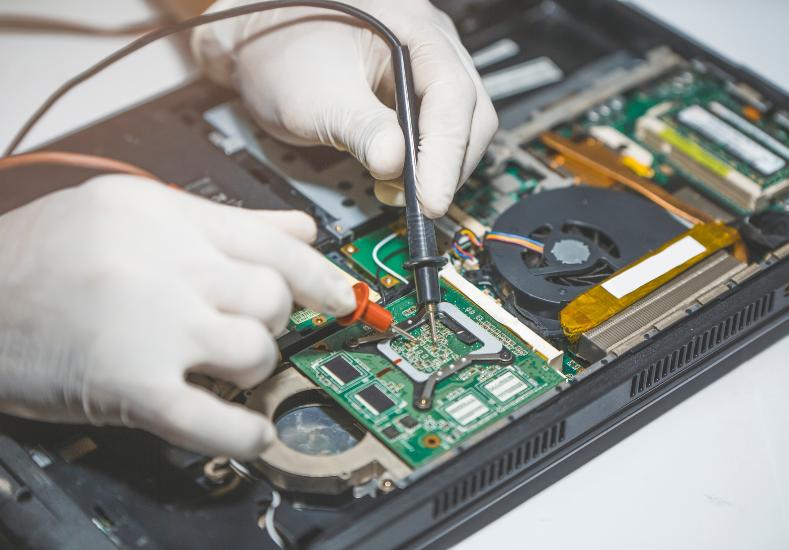
There's nothing quite as frustrating as unplugging your MacBook at 100%, stepping away for a coffee, and coming back to find it's already lost a huge chunk of charge. If you've noticed your battery percentage dropping faster than it used to, or your laptop suddenly needs charging two or three times a day when it used to comfortably last a full workday, you're dealing with one of the most common complaints Mac owners bring in for repair. The good news is that rapid battery drain almost always has an identifiable cause, and in most cases it's fixable without needing a full laptop replacement.
How to Tell If Your Drain Is Actually Abnormal
Every MacBook battery degrades over time, that's simply chemistry. Apple considers a battery to be in normal condition until it drops below 80% of its original capacity, which you can check under System Settings, then Battery, then Battery Health. If your battery health is still showing above 80% but you're losing charge unusually fast, the issue is more likely related to background processes, a rogue app, or a hardware fault elsewhere in the system rather than the battery cell itself. If battery health has already dropped well below that threshold, the cell has genuinely worn out and drain will only get worse from here.
Software Culprits Behind Fast Battery Drain
Background app refresh, browser tabs left open for weeks, and syncing services like iCloud Photos or Dropbox running silently in the background are some of the most common software-related causes. A single misbehaving app stuck in a loop can quietly consume far more CPU than it should, and you may not even notice it happening unless you check Activity Monitor. Outdated macOS versions can also introduce power management bugs that Apple later patches, which is why a battery drain issue that appears right after skipping a few updates is often resolved simply by updating to the latest version.
Hardware-Related Causes
When software isn't the culprit, hardware is usually behind the scenes. Owners searching for trusted Mac Repairs Hampton services often find their battery drain traces back to a swollen or aging battery cell, particularly in MacBooks that are three years or older and have been through hundreds of charge cycles. A faulty charging port, a damaged charging cable, or corrosion inside the logic board's power circuitry can also cause a laptop to drain even while seemingly plugged in and charging. In some cases, a failing fan or thermal paste that's dried out causes the machine to run hotter than it should, which pushes the battery and processor to work harder just to maintain normal performance.
When a Swollen Battery Is the Problem
This one deserves special attention because it's a safety issue, not just a performance one. If your trackpad has started clicking unevenly, your laptop no longer sits flat on a desk, or there's a visible bulge near the keyboard, your battery may be swelling. A swelling battery should be treated as urgent, not something to put off, since continued use can cause further damage to internal components and, in rare cases, become a genuine safety hazard.
A Recent Customer Experience
★★★★★ Google Review — Michael Tran, Hampton VIC
"My MacBook Air was barely lasting three hours on a full charge and I genuinely thought it was time to buy a new laptop entirely. Before spending that kind of money I figured I'd get it checked out, and I'm really glad I did. The team ran a proper diagnostic and found the battery health had dropped to under 60 percent, way below what it should have been for a laptop only a few years old. They had a replacement battery in stock and had it swapped out the same day. It genuinely feels like a different machine now, I'm getting a full workday out of it again without hunting for a power outlet every couple of hours. The staff were upfront about pricing before starting any work too, no surprises on the invoice. Would absolutely recommend them to anyone dealing with the same issue."
What You Can Try Before Booking a Repair
A few simple checks are worth doing first. Restart your MacBook to clear out any stuck background processes, check Activity Monitor for apps using unusually high energy under the Energy tab, and make sure macOS is fully updated. Disabling unnecessary background app refresh and closing unused browser tabs can also make a noticeable difference for lighter drain issues. If none of these steps improve things, or if battery health is already showing a low percentage, it's a sign the issue has moved beyond something a software fix can resolve.
Why Getting It Diagnosed Properly Matters
Guessing at battery issues can end up costing more in the long run, especially if an underlying charging port or logic board fault is misdiagnosed as a simple battery problem. A proper diagnostic test measures actual battery health, checks charging circuitry, and rules out software causes before recommending a fix, which means you're only paying for the repair you actually need rather than replacing parts that were never the issue in the first place.
Conclusion
Fast battery drain on a MacBook is rarely something to just live with, and it's almost never a sign that the whole laptop needs replacing. In most cases it comes down to background software issues, an aging battery cell, or a charging fault that can be diagnosed and fixed quickly once someone takes a proper look under the hood. Left unaddressed, a failing battery can also start affecting other components, so it's worth having it checked sooner rather than later. Same Day Mac Repairs offers fast, transparent battery diagnostics and same-day replacements where needed, so you can get back to a laptop that actually holds a charge the way it's supposed to.
- Managerial Effectiveness!
- Future and Predictions
- Motivatinal / Inspiring
- Fitness and Wellness
- Medical & Health
- Manufacturing
- Éducation
- Real-Estate
- Food Industry
- Hospitality
- Online Games
- Sports
- Home Services
- Civil Engineering
- Safety and Protection
- Software Products & Services
- Fashion and Jewellery
- Artificial Intelligence
- Entrepreneurship
- Mentoring & Guidance
- Marketing
- Networking
- HR & Recruiting
- Literature
- Shopping
- Career Management & Advancement