

 SkillClick
Blueprint to Build Site: How Accurate Wide Format Prints Keep Construction Projects on Track
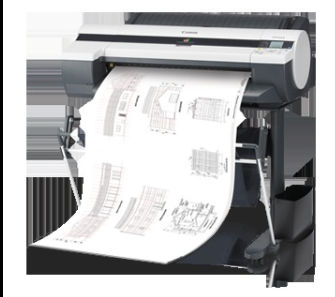
Construction projects don’t fail because of big mistakes. More often, it’s small misalignments that add up. A dimension that isn’t clear, a revision that didn’t reach the site on time, or a drawing that lost detail in print. When teams rely on physical plans every day, accuracy on paper becomes just as important as accuracy in design.
That’s where a dependable wide-format printer plays a critical role.
Drawings Need to Translate Exactly
Architects and engineers work with layered, highly detailed drawings. Fine lines, annotations and measurements are packed into every sheet. If those lines blur or the text becomes hard to read, it can lead to confusion on-site.
Good print systems are designed to preserve that detail. Clean line reproduction with minimal edge bleeding ensures that what’s visible on screen holds up on paper. It reduces back-and-forth between teams and avoids unnecessary clarification during execution.
Colour Isn’t Just for Presentation
While CAD drawings are often seen as technical documents, colour plays a bigger role than most people realise. Different layers, highlights or revisions are often colour-coded.
Accurate colour output helps teams quickly identify changes or important elements. With improved ink systems, especially in stronger reds and clearer contrasts, these distinctions become easier to spot. That saves time during reviews and helps prevent errors when multiple versions are in circulation.
Speed Matters When Plans Keep Changing
Construction timelines are rarely static. Drawings get updated, marked up and reprinted constantly. Waiting too long for prints can slow down decisions on-site.
Faster processing and print speeds help keep things moving. When a printer can handle continuous jobs without lag, teams don’t have to queue up tasks or delay discussions. It becomes easier to keep everyone aligned with the latest version of the plan.
One System, Multiple Needs
On most projects, printing isn’t the only requirement. Teams also need to scan marked-up drawings, copy documents and share updates quickly.
Having a multifunction setup simplifies this. You can take a marked plan, scan it, make changes and print a revised version without switching between devices. It keeps the workflow tighter and reduces the chances of missing updates.
Practical Details Make Daily Work Easier
Small design choices in a printer can have a big impact over time. Easy roll paper loading, automatic paper type detection and a layout that supports regular use all help reduce manual effort.
These are the things teams notice when they’re working under pressure. The less time spent managing the device, the more time goes into actual work.
Where It Fits in the Workflow
The imagePROGRAF TM-5250 is built for environments where drawings, visuals and updates are constantly moving between teams. Its ability to handle detailed CAD prints, along with scanning and copying, makes it useful across different stages of a project.
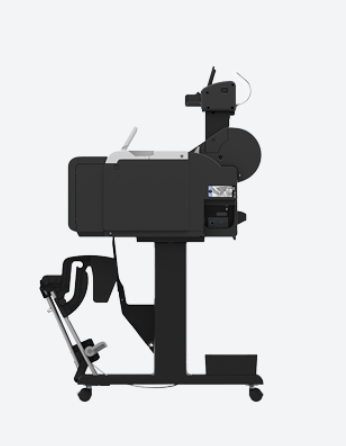
It’s not just about printing a drawing. It’s about making sure the right version reaches the right hands, in the right quality, at the right time. When that happens consistently, projects tend to move forward with fewer interruptions.
- Managerial Effectiveness!
- Future and Predictions
- Motivatinal / Inspiring
- Fitness and Wellness
- Medical & Health
- Manufacturing
- Education
- Real-Estate
- Food Industry
- Hospitality
- Online Games
- Sports
- Home Services
- Civil Engineering
- Safety and Protection
- Software Products & Services
- Fashion and Jewellery
- Artificial Intelligence
- Entrepreneurship
- Mentoring & Guidance
- Marketing
- Networking
- HR & Recruiting
- Literature
- Shopping
- Career Management & Advancement