

 SkillClick
SMTP Server Setup Guide
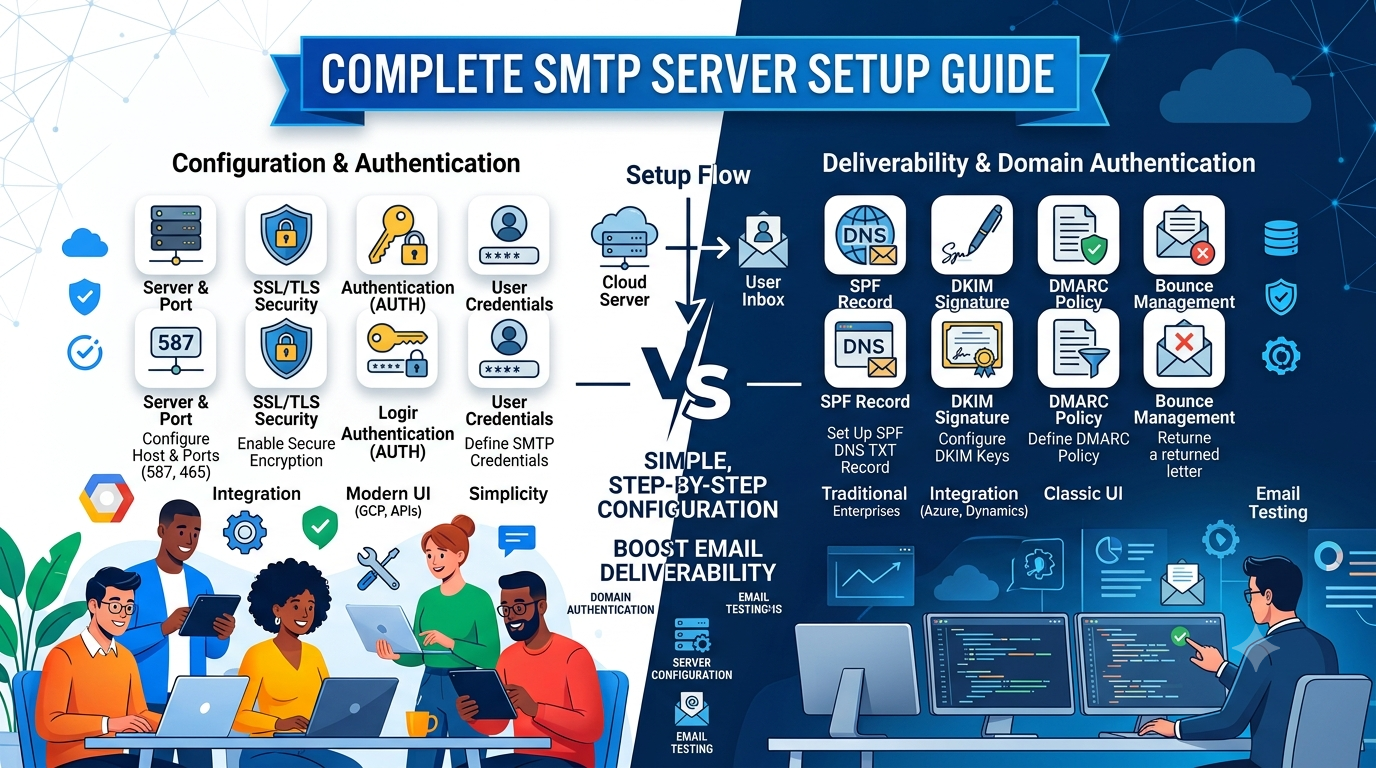
Setting up an SMTP server is an important step for businesses and individuals who want to send emails reliably and securely. Whether you are managing business communications, transactional emails, or marketing campaigns, a properly configured SMTP server helps ensure your messages reach the recipient's inbox. Extract Mails understands the importance of dependable email delivery, making it essential to learn how SMTP servers work and how to configure them correctly.
This guide explains the complete SMTP server setup process in simple language, making it easy for beginners and experienced users alike.
What Is an SMTP Server?
SMTP stands for Simple Mail Transfer Protocol. It is the standard communication protocol used for sending emails over the internet. Whenever you send an email, the SMTP server processes your message and transfers it to the recipient's mail server.
Without an SMTP server, sending emails from applications, websites, or email clients would not be possible. It acts as the bridge between the sender and the recipient, ensuring emails are delivered efficiently.
Why Is SMTP Server Setup Important?
A properly configured SMTP server offers several benefits beyond simply sending emails. It improves email delivery rates, enhances security, and helps maintain a professional reputation.
Some of the major advantages include:
- Reliable email delivery
- Better email authentication
- Improved security
- Reduced chances of emails being marked as spam
- Better sender reputation
- Efficient management of outgoing emails
Taking the time to configure your SMTP server correctly can save you from many common email delivery problems while improving the overall performance of your email system.
Prerequisites Before Setting Up an SMTP Server
Before starting the setup process, make sure you have everything you need.
You should have:
- A registered domain name
- A server or hosting environment
- Access to your DNS settings
- An SSL or TLS certificate
- SMTP server software or an email service provider
Preparing these essentials beforehand makes the installation process much smoother and helps avoid unnecessary delays.
Step-by-Step SMTP Server Setup Guide
Step 1: Choose an SMTP Server
The first step is selecting the SMTP server that best fits your needs. You can either install your own mail server or use a trusted third-party SMTP provider. The right choice depends on your email volume, technical knowledge, and business requirements.
If your organization sends a high number of emails daily, selecting a reliable SMTP solution with good uptime, monitoring features, and strong security is highly recommended.
Step 2: Configure SMTP Settings
After choosing your SMTP server, configure its basic settings.
These usually include:
- SMTP Hostname
- SMTP Port Number
- Username
- Password
- SSL or TLS Encryption
Using secure encryption protects your email data while it travels across the internet and prevents unauthorized access.
Step 3: Configure DNS Authentication
DNS authentication is one of the most important parts of SMTP configuration. It helps email providers verify that your emails are legitimate.
You should configure the following records:
- SPF (Sender Policy Framework)
- DKIM (DomainKeys Identified Mail)
- DMARC (Domain-based Message Authentication, Reporting, and Conformance)
These authentication methods improve your sender reputation, reduce spoofing attempts, and increase the chances of your emails reaching the inbox instead of the spam folder.
Step 4: Test Your SMTP Server
After completing the configuration, send a few test emails to different email providers.
Check the following:
- Emails are delivered successfully.
- Messages do not land in the spam folder.
- Authentication passes successfully.
- Secure SSL/TLS connections are working properly.
Testing allows you to identify and fix any configuration issues before using the server for business communication.
Best Practices for SMTP Server Configuration
Following best practices helps improve both performance and security.
Always keep your SMTP software updated with the latest security patches. Use strong passwords and enable encrypted connections to protect sensitive information.
Monitor server logs regularly to detect failed login attempts, unusual activity, or delivery issues. Regular monitoring allows you to identify problems early and maintain smooth server performance.
If you send promotional or marketing emails, avoid sending extremely large batches immediately. Gradually increasing your email volume helps establish a positive sender reputation with internet service providers.
Many businesses that use a bulk email sender also monitor bounce rates, unsubscribe requests, and recipient engagement to maintain strong email performance and improve deliverability.
Common SMTP Server Issues and Their Solutions
Even a properly configured SMTP server may occasionally experience problems. Understanding these common issues makes troubleshooting much easier.
Authentication Errors
Incorrect usernames, passwords, or disabled SMTP authentication often result in login failures. Double-check your credentials and verify that authentication is enabled.
Emails Going to Spam
If your emails frequently land in spam folders, check your SPF, DKIM, and DMARC records. Also, ensure your email content follows best practices and avoid using spam-triggering language.
Connection Timeouts
Firewall restrictions, incorrect SMTP ports, or network issues can prevent successful connections. Verify that the correct ports are open and accessible.
SSL or TLS Certificate Errors
Expired or incorrectly installed SSL certificates can interrupt secure communication. Renew certificates before they expire and verify proper installation.
Tips to Improve Email Deliverability
Deliverability is just as important as sending emails. A well-configured SMTP server is only useful if recipients actually receive your messages.
Maintain a clean email list by removing invalid or inactive email addresses. Sending emails to outdated contacts can increase bounce rates and damage your sender reputation.
Create valuable, relevant, and engaging email content that encourages recipients to open and interact with your messages.
Track important email metrics such as:
- Open rates
- Bounce rates
- Click-through rates
- Spam complaints
Regular analysis helps identify areas for improvement and supports long-term email success.
Sending emails at consistent intervals instead of overwhelming subscribers also helps build trust and improves engagement.
SMTP Server Security Best Practices
Email security should always be a top priority. Cyber threats continue to evolve, making it essential to protect your SMTP server from unauthorized access.
Enable SSL or TLS encryption for all outgoing emails. Use strong passwords, enable two-factor authentication whenever available, and restrict server access to authorized users only.
Regularly update server software to patch security vulnerabilities. Monitor server logs for suspicious activity and back up your configurations to simplify recovery if any issues occur.
Strong security practices not only protect your business but also improve your sender reputation and customer trust.
When Should You Upgrade Your SMTP Server?
As your business grows, your email requirements will likely increase.
You should consider upgrading your SMTP setup if you notice:
- Increasing email volume
- Slow email delivery
- Frequent delivery failures
- Rising spam complaints
- More advanced reporting requirements
- Greater security needs
A scalable SMTP solution can handle higher workloads while maintaining fast performance, reliable delivery, and strong security.
Conclusion
A properly configured SMTP server is the foundation of reliable email communication. From choosing the right server and configuring authentication records to monitoring performance and improving security, every step plays an important role in successful email delivery.
By following best practices and maintaining your server regularly, you can improve inbox placement, strengthen your sender reputation, and ensure your emails reach the intended recipients consistently. Whether you are managing personal communications or business campaigns, investing in a well-configured SMTP server provides long-term benefits for performance, security, and reliability.
To learn more about building a reliable email system, explore our Email Infrastructure resources.
- Managerial Effectiveness!
- Future and Predictions
- Motivatinal / Inspiring
- Fitness and Wellness
- Medical & Health
- Manufacturing
- Education
- Real-Estate
- Food Industry
- Hospitality
- Online Games
- Sports
- Home Services
- Civil Engineering
- Safety and Protection
- Software Products & Services
- Fashion and Jewellery
- Artificial Intelligence
- Entrepreneurship
- Mentoring & Guidance
- Marketing
- Networking
- HR & Recruiting
- Literature
- Shopping
- Career Management & Advancement