

 SkillClick
Trusted Vector Art Services: Raster vs Vector Guide
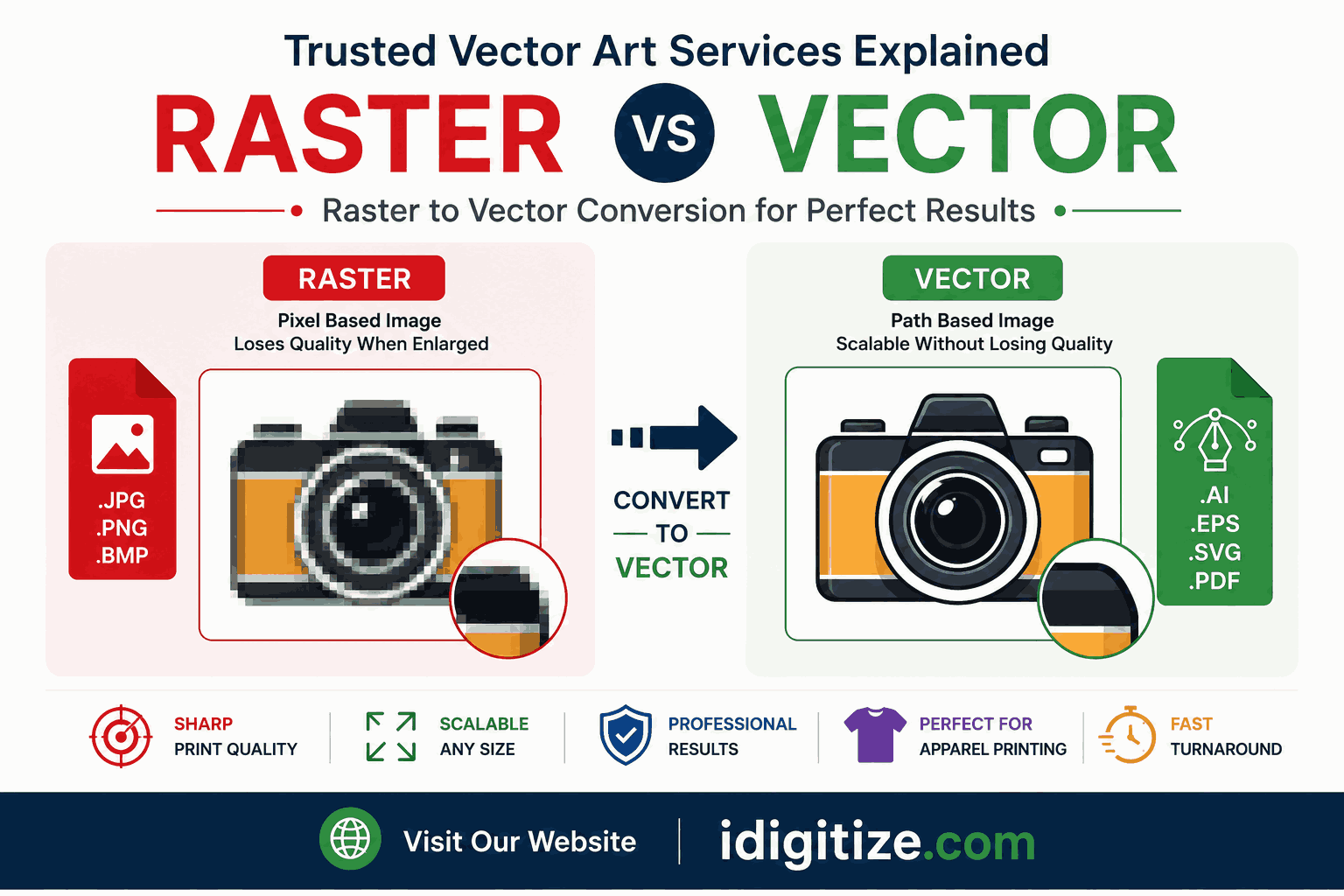
Many businesses use digital artwork every day. However, not all image formats deliver the same quality.
Some graphics become blurry during resizing. Others stay sharp at every size.
This difference comes from raster and vector formats.
Trusted vector art services help businesses convert low-quality raster images into scalable vector artwork. Therefore, companies can improve branding, printing, and design quality.
Understanding raster vs vector conversion is important for apparel printing, logo design, signage, and marketing materials.
Table of Contents
- What Is Raster Artwork?
- What Is Vector Artwork?
- Main Difference Between Raster and Vector
- Why Businesses Convert Raster to Vector
- Benefits of Trusted Vector Art Services
- Common Uses of Vector Conversion
- Problems With Low-Resolution Raster Images
- How Professional Vector Conversion Works
- Why Businesses Choose Professional Services
- Final Thoughts
- FAQs
What Is Raster Artwork?
Raster artwork uses pixels to create images. Every image contains thousands of small colored squares.
Popular raster formats include:
- JPG
- PNG
- GIF
- BMP
Raster images work well for photography. However, they lose quality when enlarged.
For example, a small logo may look sharp on a phone screen. However, it may appear blurry on a banner or printed shirt.
This happens because pixels stretch during resizing.
What Is Vector Artwork?
Vector artwork uses mathematical paths instead of pixels.
Therefore, vector graphics remain sharp at every size.
Popular vector formats include:
- AI
- EPS
- SVG
Businesses use vector artwork for:
- Logos
- Apparel printing
- Vehicle wraps
- Signage
- Packaging
- Embroidery digitizing
Vector files provide cleaner and more professional results.
Main Difference Between Raster and Vector
The biggest difference involves scalability.
Raster images lose quality during enlargement. However, vector files stay sharp without pixelation.
Here is a simple comparison:
| Feature | Raster | Vector |
|---|---|---|
| Uses Pixels | Yes | No |
| Scalable Without Blur | No | Yes |
| Best for Photos | Yes | No |
| Best for Logos | No | Yes |
| Print Quality | Limited | Excellent |
Therefore, businesses prefer vector files for branding and printing projects.
Why Businesses Convert Raster to Vector
Many companies only have small JPG or PNG logos. These files may not work for professional printing.
Trusted vector art services convert those images into scalable vector files.
This helps businesses:
- Improve logo quality
- Create sharper prints
- Maintain brand consistency
- Support large-format printing
- Prepare artwork for embroidery
Therefore, raster-to-vector conversion supports long-term branding needs.
Benefits of Trusted Vector Art Services
Better Print Quality
Vector files improve print sharpness for banners, uniforms, and promotional products.
Cleaner Logo Appearance
Professional vector conversion creates smooth lines and accurate shapes.
Faster Editing
Designers can easily resize or adjust vector files without quality loss.
Professional Branding
Businesses maintain consistent visuals across every platform.
Long-Term File Usage
One vector file works for websites, apparel, packaging, and advertisements.
Therefore, vector artwork becomes a valuable business asset.
For businesses needing scalable branding graphics, iDigitize provides vector conversion and embroidery-ready artwork support.
Common Uses of Vector Conversion
Many industries use vector conversion services daily.
Apparel Printing
T-shirt printers use vector artwork for clean graphics and accurate colors.
Embroidery Digitizing
Embroidery digitizers often convert raster logos into vector artwork before digitizing.
Signage Printing
Large signs need scalable artwork for sharp printing.
Vehicle Wraps
Vehicle graphics require high-resolution vector designs.
Promotional Products
Businesses print vector logos on mugs, caps, pens, and packaging.
Therefore, vector conversion supports many branding projects.
Problems With Low-Resolution Raster Images
Low-quality raster images create many problems.
Common issues include:
- Blurry printing
- Pixelated logos
- Rough edges
- Distorted shapes
- Poor scalability
These issues can damage brand presentation.
Therefore, businesses avoid using low-resolution graphics for professional projects.
According to Adobe Illustrator, vector graphics provide better scalability and cleaner printing for branding materials.
How Professional Vector Conversion Works
Trusted vector artists usually recreate artwork manually.
This process includes:
- Tracing shapes carefully
- Cleaning rough edges
- Correcting proportions
- Matching brand colors
- Preparing print-ready files
Manual vector tracing creates cleaner results than automatic conversion software.
Therefore, professional services produce higher-quality artwork.
Why Businesses Choose Professional Services
Free online tools often create inaccurate vector files.
Automatic software may generate:
- Broken lines
- Uneven curves
- Poor shape accuracy
- Messy anchor points
Professional vector artists improve design accuracy manually.
This creates better results for printing and branding.
Therefore, businesses prefer trusted vector art services over basic auto-tracing tools.
Final Thoughts
Raster and vector formats serve different purposes. However, vector artwork remains the best choice for professional branding and printing.
Trusted vector art services help businesses convert blurry graphics into scalable and clean artwork.
Vector conversion improves logo quality, apparel printing, signage production, and brand consistency.
Therefore, professional vector artwork continues to play an important role in modern business branding.
FAQs
What is the difference between raster and vector images?
Raster images use pixels, while vector images use mathematical paths for scalable graphics.
Why do businesses convert raster images to vector files?
Businesses convert raster images to improve print quality and create scalable artwork.
Which format is best for logo printing?
Vector formats like AI, EPS, and SVG work best for logo printing.
Can vector artwork improve embroidery quality?
Yes. Clean vector files help embroidery digitizers create accurate stitch designs.
Are vector files better for large printing?
Yes. Vector graphics remain sharp at large sizes without becoming blurry.
- Managerial Effectiveness!
- Future and Predictions
- Motivatinal / Inspiring
- Fitness and Wellness
- Medical & Health
- Manufacturing
- Education
- Real-Estate
- Food Industry
- Hospitality
- Online Games
- Sports
- Home Services
- Civil Engineering
- Safety and Protection
- Software Products & Services
- Fashion and Jewellery
- Artificial Intelligence
- Entrepreneurship
- Mentoring & Guidance
- Marketing
- Networking
- HR & Recruiting
- Literature
- Shopping
- Career Management & Advancement