

 SkillClick
Best Vector Art Conversion Service
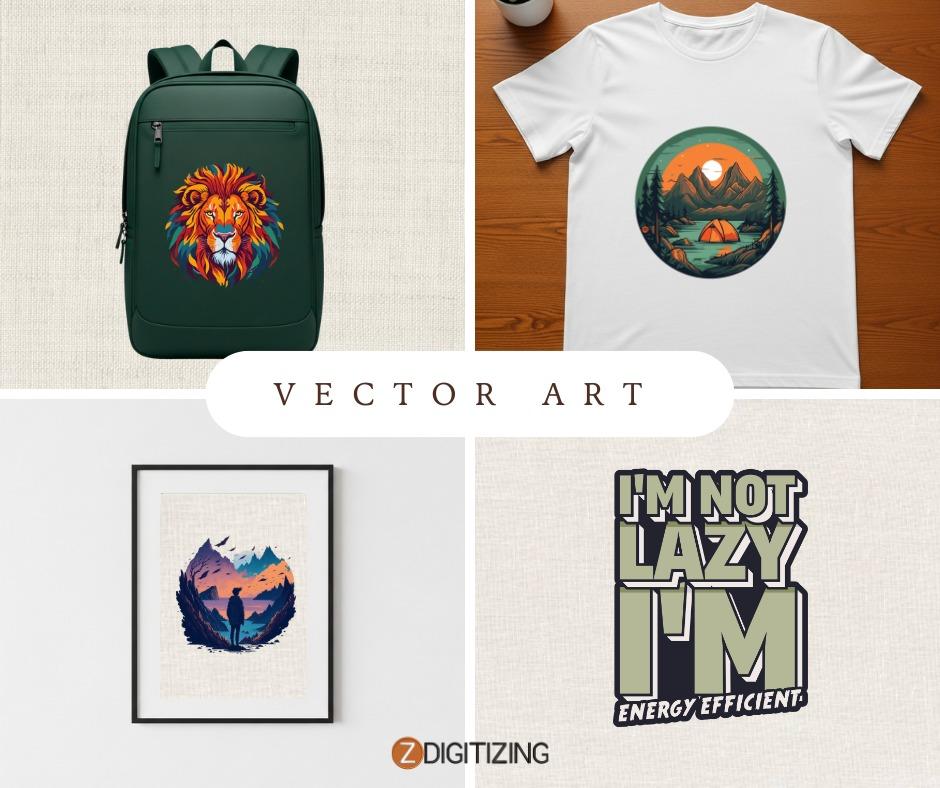
In today’s competitive digital and print environment, precision in artwork is not optional. Businesses that rely on logos, apparel graphics, signage, packaging, and promotional products need clean, scalable files that reproduce flawlessly across different mediums. This is where a professional vector art conversion service plays a critical role.
Raster files such as JPG, PNG, and GIF are pixel based. When resized, they often lose clarity and become blurry or distorted. Vector graphics are built using mathematical paths, which means they can be scaled to any size without losing sharpness. Choosing the best vector art conversion service ensures that your artwork meets professional production standards while maintaining brand consistency.
What Is Vector Art Conversion?
Vector art conversion is the process of transforming pixel based images into vector format using advanced design software and skilled manual techniques. Instead of relying solely on automated tracing tools, professional designers recreate artwork with precise curves, anchor points, and color values.
Common vector file formats include:
• AI Adobe Illustrator
• EPS Encapsulated PostScript
• SVG Scalable Vector Graphics
• PDF vector compatible files
These formats are widely used in screen printing, embroidery digitizing, large format printing, engraving, and packaging production.
Why Professional Expertise Matters
Many online tools claim to convert raster images into vectors instantly. While these tools may work for very simple graphics, they often produce uneven lines, excessive anchor points, and inaccurate color separations. For businesses that depend on production accuracy, this can lead to costly errors.
An experienced vector art conversion provider offers:
• Manual redrawing for clean and smooth curves
• Proper layer organization for easy editing
• Accurate color matching using industry standards
• Optimized files for printing and embroidery machines
• Quality control checks before final delivery
Professional expertise ensures that every detail, from small typography to complex shapes, is recreated with precision.
Key Features of the Best Vector Art Conversion Service
When evaluating a provider, consider the following qualities that reflect experience, authority, and trustworthiness:
1. Skilled Graphic Designers
Qualified designers with real production knowledge understand how artwork behaves in printing, stitching, and engraving processes. Their technical understanding prevents common issues such as overlapping paths or incorrect color builds.
2. 100 Percent Manual Vectorization
Manual vectorization results in smoother curves, better symmetry, and cleaner output compared to automated tracing. This approach ensures the artwork is fully editable and production ready.
3. Transparent Turnaround Times
Reliable services provide clear timelines and meet deadlines consistently. Fast turnaround is important, but accuracy should never be compromised.
4. Clear Revision Policy
Professional providers offer reasonable revision options to ensure the final artwork aligns with client expectations.
5. Multi Format File Delivery
The best services supply files compatible with various software and production systems, reducing delays and technical issues.
Industries That Depend on Vector Conversion
Vector art conversion supports a wide range of industries that require scalable graphics and precise output:
• Screen printing for apparel and merchandise
• Embroidery digitizing for uniforms and promotional items
• Signage and banner production
• Packaging and label design
• Promotional product customization
• Corporate branding and marketing materials
Each of these industries requires consistent artwork reproduction across multiple sizes and materials.
The Professional Conversion Process
A structured workflow reflects experience and reliability. A reputable vector art conversion service typically follows these steps:
Initial artwork assessment to evaluate complexity and quality
Manual recreation of shapes, lines, and typography
Color correction and Pantone or CMYK matching when required
Path optimization for smooth curves and minimal anchor points
Internal quality review to ensure production compatibility
Delivery of editable and print ready files
This systematic approach ensures technical accuracy and reduces production risks.
Frequently Asked Questions
1. Why is manual vector conversion better than automatic tracing?
Manual vector conversion produces smoother curves, cleaner lines, and fewer unnecessary anchor points. Automated tracing often creates rough edges and inaccurate details, which can cause printing or embroidery issues.
2. What file format should I request for printing?
For most professional printing processes, AI or EPS formats are preferred because they are fully editable and compatible with industry standard design software. However, requirements may vary depending on the production method.
3. Can a low quality image be converted into a high quality vector?
Yes, but it often requires rebuilding the artwork manually. Skilled designers can recreate shapes and text accurately even if the original file is blurry or pixelated.
4. How long does vector art conversion typically take?
Turnaround time depends on the complexity of the design. Simple logos may be completed within hours, while detailed illustrations can require more time to ensure precision and accuracy.
Conclusion
Selecting the best vector art conversion service is an investment in quality and brand consistency. Professionally converted vector files ensure sharp output, accurate colors, and seamless scalability across print and digital platforms.
By choosing a provider with proven expertise, structured workflows, and transparent practices, businesses can reduce production errors and maintain a professional visual identity across every application.
- Managerial Effectiveness!
- Future and Predictions
- Motivatinal / Inspiring
- Fitness and Wellness
- Medical & Health
- Manufacturing
- Education
- Real-Estate
- Food Industry
- Hospitality
- Online Games
- Sports
- Home Services
- Civil Engineering
- Safety and Protection
- Software Products & Services
- Fashion and Jewellery
- Artificial Intelligence
- Entrepreneurship
- Mentoring & Guidance
- Marketing
- Networking
- HR & Recruiting
- Literature
- Shopping
- Career Management & Advancement