

 SkillClick
Video Conferencing Systems — Architecture, Hardware, and Deployment
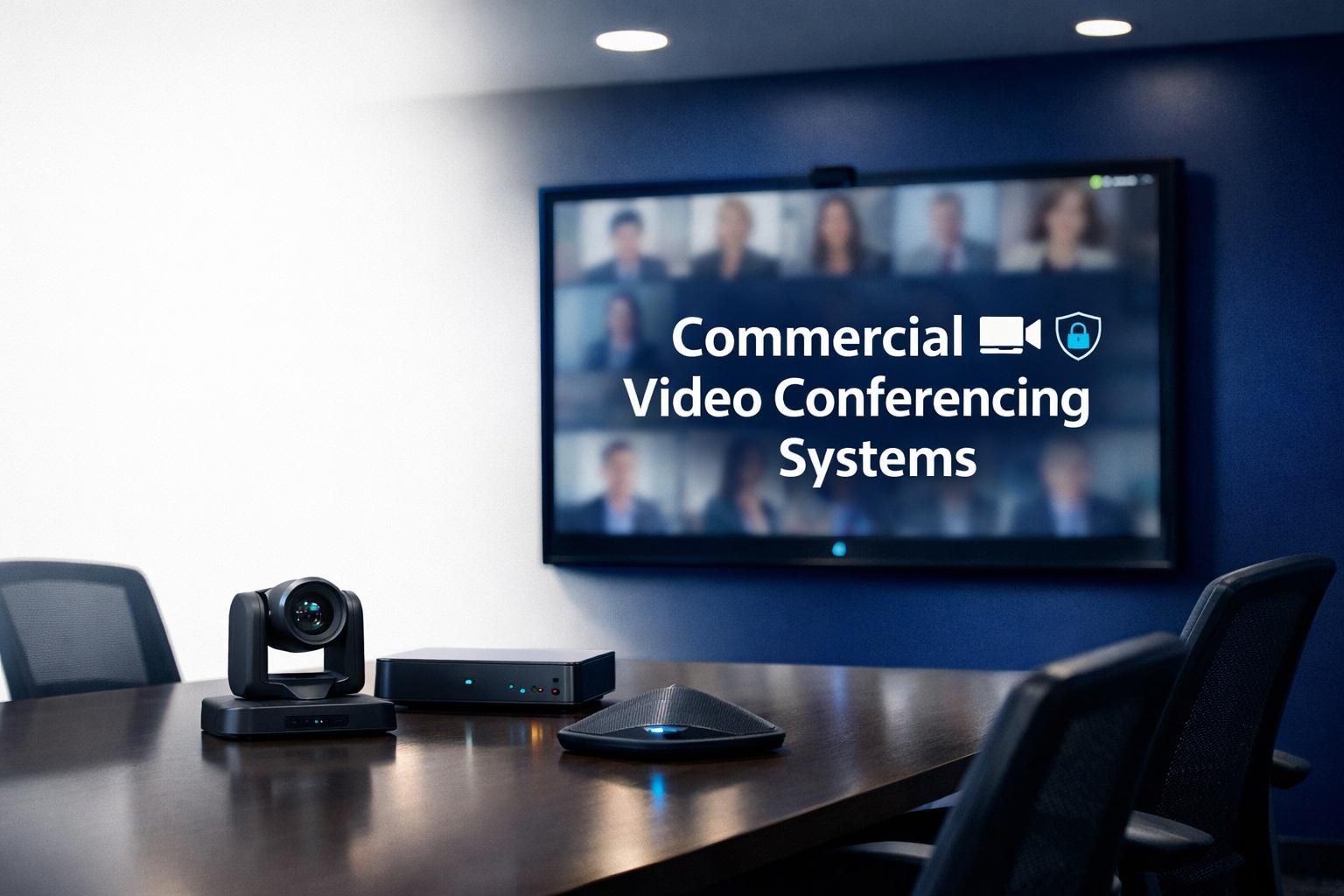
A robust video conferencing systems strategy aligns software platforms, certified room hardware, network readiness, and governance so organizations can hold secure, high-quality meetings across offices and remote participants; reliably designed systems reduce friction and improve collaboration outcomes. video conferencing systems perform best when chosen to match use cases, standardized across rooms, and supported by monitoring and training.
Featured Snippet (40–60 words): Video conferencing systems require coordinated choices in conferencing platforms, certified room kits, microphone and camera selection, and network QoS to deliver consistent meeting experiences. Begin with a use-case assessment, standardize hardware families, and implement monitoring and training so meetings start reliably and produce measurable gains in productivity.
Understanding The Components Of Video Conferencing Systems
Video conferencing systems are assemblies of software, room hardware, peripheral devices, network infrastructure, and management tools. The software provides meeting orchestration, client apps, and cloud services. Room hardware includes cameras, microphones, speakers, displays, and often a dedicated codec or room PC. Peripherals such as room controllers and proximity sensors refine user interaction. The network must provide low-latency paths and prioritize media streams. Management tools inventory devices, push firmware, and monitor call quality. Together, these components create an ecosystem that supports both ad-hoc collaboration and scheduled, mission-critical events.
Use Case Mapping: The Foundation For System Design
Design begins by documenting the organization’s meeting patterns. Identify huddle rooms for quick collaboration, medium conference rooms for client briefings, large conference rooms for multi-location calls, and auditoriums for broadcasts. For each room type, capture expected attendee counts, presentation styles, and production needs. Use case mapping clarifies whether automatic speaker tracking, multiple cameras, or high-output audio are necessary and influences downstream decisions on camera selection, DSP capacity, and display brightness. Matching system capabilities to meeting behaviors prevents overspend and optimizes user experience.
Hardware Choices: Certified Kits Versus Build-Your-Own
Many vendors provide certified room kits tuned to specific conferencing platforms that simplify deployment and compatibility testing. Certified kits bundle a camera, audio bar or microphones, and sometimes a compute device that is prevalidated. Build-your-own approaches allow customization but require careful interoperability testing. Choose certified solutions when speed and simplicity are priorities, and consider custom builds for unique spaces that require specific acoustic or aesthetic treatments. Ensure devices support platform features such as content sharing, room calendar integration, and remote management.
Microphone Topologies And Audio Clarity
Audio clarity is essential because poor audio impairs comprehension more than low video quality. Choose microphone topologies that match room usage. Beamforming arrays provide flexible coverage and reduce cabling in rooms with variable seating, while boundary mics deliver predictable pickup in fixed table layouts. Ceiling arrays are unobtrusive and scale across larger tables but must account for HVAC noise and require proper DSP configuration. Always pair microphone choice with echo cancellation, automatic gain control, and user-friendly mute functions to minimize disruptions during meetings.
Camera Strategies: Framing, Resolution, And Automation
Camera selection affects visual presence. For small rooms, a single wide-angle camera may suffice, while larger spaces benefit from multiple cameras or PTZ units to capture presenters and audience. Choose sensors with good low-light sensitivity and autofocus stability. Autoframing and speaker-tracking can enhance remote participant engagement, but tuning is essential to avoid distracting camera behaviors. For multipoint production or recording, plan for switching hardware or software that can present the most relevant view to attendees without delay.
Display And Content-Sharing Considerations
Displays must balance size, resolution, and ambient light conditions. Dual displays enable presenting content and seeing participants simultaneously, reducing the need to look away from the camera. For shared content, ensure the system supports high-resolution capture and low-latency sharing, and that wired or wireless BYOD options are validated to avoid repetitive join issues. Interactive displays and digital whiteboards add collaborative capability but require integration into recording, archiving, and security workflows.
Network Design, Bandwidth, And Quality Assurance
Video conferencing systems demand robust network planning. Estimate concurrent stream counts to provision uplinks and configure QoS to maintain media priority. For AV over IP topologies, multicast considerations and switch buffering policies affect performance. Implement end-to-end monitoring to capture packet loss, jitter, and latency across critical links and configure alerts for degraded call quality. For global organizations, assess regional peering and edge services to minimize round-trip times and avoid overloaded transit routes that degrade user experiences.
Security, Authentication, And Policy Enforcement
Secure deployments require integration with corporate identity providers, role-based access controls, and strict recording policies. Use single sign-on and device authentication to reduce unauthorized access, and apply policies that prevent inadvertent recording or data exposure. Encrypt meetings in transit and at rest when available and maintain audit logs for compliance review. Implement guest access workflows that allow external participants without exposing internal credentials or networks.
Management, Monitoring, And Lifecycle Maintenance
Operational excellence rests on management platforms that provide inventory, firmware automation, and health dashboards. Monitor device uptimes, software versions, hardware statuses, and call quality metrics to detect degradation early. Schedule maintenance windows for firmware updates and keep a spares inventory for mission-critical rooms. Lifecycle planning addresses obsolescence, spare parts, and the roadmap for technology refreshes so organizations avoid unsupported devices that risk operational failures.
User Experience, Templates, And Onboarding
A predictable user experience drives adoption. Create meeting templates, preconfigured room modes, and one-touch joins via calendar integrations to simplify user actions. Develop onboarding materials tailored to common roles—hosts, facilitators, and attendees—and provide quick troubleshooting guides for typical issues. Running live training sessions and maintaining short how-to videos accelerate proficiency and reduce reliance on IT or AV support for routine tasks.
Recording, Archiving, And Searchable Content
Recording meetings extends the value of meetings by enabling asynchronous consumption and compliance. Choose storage and retention policies that align with legal and organizational rules and implement searchable transcripts to surface knowledge. Ensure that recorded content is indexed and accessible through controlled repositories and integrate tagging and metadata workflows to improve discoverability.
Interoperability And Legacy Systems
Interoperability between modern cloud-native clients and legacy SIP/H.323 endpoints often requires bridging services. Evaluate interoperability gateways, cloud connectors, and managed services that translate protocols and avoid forcing rip-and-replace upgrades. Support dial-in PSTN fallback for remote participants on limited networks and validate that interoperability does not compromise security policies or complicate user experience.
Troubleshooting Common Failures
Common failures in video conferencing systems include poor audio due to echo and noise, choppy video from network packet loss, and failed joins stemming from authentication or firewall rules. Troubleshooting begins with device-level checks, verifying firmware versions, local network throughput, and audio device selection. Use synthetic tests and call simulators to replicate issues and maintain a playbook that correlates symptoms with likely root causes and fixes.
Governance, Use Policies, And Meeting Etiquette
Define governance for meeting usage to prevent misuse and overload. Policies should specify acceptable meeting sizes, default recording behaviors, and naming conventions to improve discoverability. Promote etiquette such as muting when not speaking, using headsets in noisy environments, and scheduling shorter meetings to reduce fatigue. Governance reduces friction and keeps systems efficient for everyone.
ROI, Metrics, And Continuous Improvement
Measure ROI through adoption rates, reduced travel spend, and improvement in decision-making velocity. Track KPIs like average call quality, first-time join success, and mean time to resolution for incidents. Use these measurements to prioritize investments in rooms, network upgrades, or managed services to continuously improve the quality and impact of video conferencing systems.
Planning For The Future: Trends To Watch
Emerging trends include AI-driven noise suppression and meeting summarization, spatial audio for more natural presence, and edge processing that reduces cloud dependency. Design systems to be modular and standards-compliant so new capabilities can be adopted without wholesale replacement. Regularly revisit architecture to incorporate innovations that improve accessibility and quality while maintaining security and manageability.
Conclusion
Video conferencing systems are enterprise assets that, when designed and operated thoughtfully, enable seamless collaboration and reduce organizational friction. Prioritizing use-case mapping, standardization, network preparedness, and operational readiness produces predictable and measurable outcomes. With careful lifecycle planning and strong governance, these systems become a durable part of an organization’s communication infrastructure.
FAQs
What is the most critical element for reliable video conferencing systems?
The most critical element is network readiness with appropriate bandwidth and QoS to prioritize real-time media, because even the best hardware and software will struggle on congested or high-latency networks.
Should we standardize on one hardware vendor for video conferencing systems?
Standardization simplifies procurement, support, and spare parts, but avoid vendor lock-in by selecting devices that support open standards and interoperate with your chosen platform and management tools.
How do we handle guest participants securely in video conferencing systems?
Handle guests through secure invitation links, lobby/waiting rooms, limited guest permissions, and temporary credentials that expire after meetings to protect internal resources.
Are cloud-native platforms or on-premises systems better for large enterprises?
Cloud platforms offer global scalability and reduced on-prem management; on-premises systems provide tighter control over data residency. Choose based on compliance needs, latency, and operational capabilities.
How often should we update firmware and perform system maintenance?
Update firmware regularly according to vendor guidance, schedule maintenance windows for critical updates, and perform quarterly audits of device health and network performance to prevent failures.
Author bio: Rachel Thompson — Unified communications consultant and systems designer.
- Managerial Effectiveness!
- Future and Predictions
- Motivatinal / Inspiring
- Fitness and Wellness
- Medical & Health
- Manufacturing
- Educación
- Real-Estate
- Food Industry
- Hospitality
- Online Games
- Sports
- Home Services
- Civil Engineering
- Safety and Protection
- Software Products & Services
- Fashion and Jewellery
- Artificial Intelligence
- Entrepreneurship
- Mentoring & Guidance
- Marketing
- Networking
- HR & Recruiting
- Literature
- Shopping
- Career Management & Advancement