

 SkillClick
iMac Repair Services for Screen, SSD, and Logic Board Issues
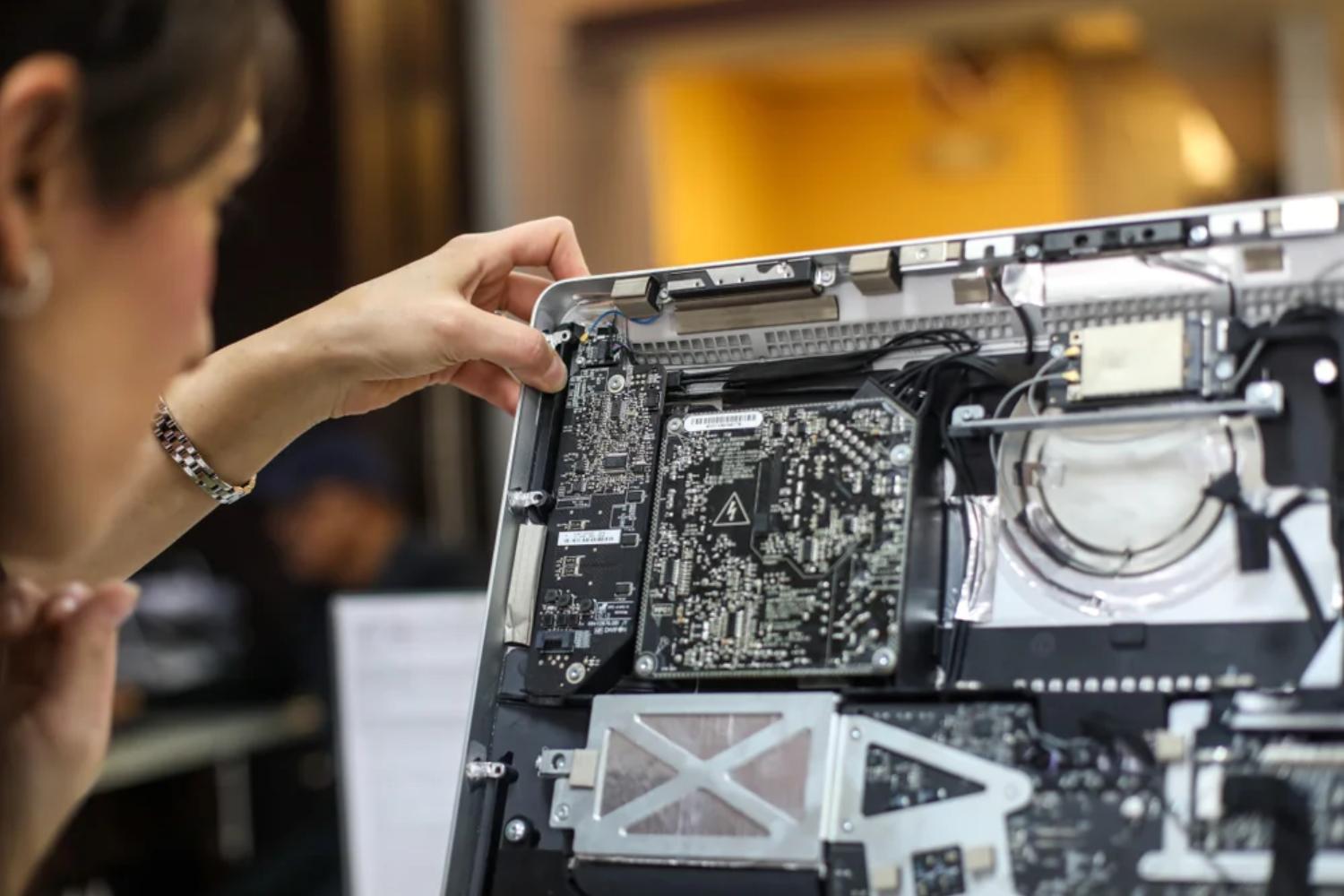
Your iMac is more than just a computer. It’s your creative workspace, your business hub, and often the backbone of your daily productivity. So when it starts acting up—whether the screen flickers, storage slows to a crawl, or the system refuses to power on—it can feel incredibly frustrating.
The good news? Most iMac problems are completely fixable when handled by skilled professionals. From delicate screen assemblies to complex logic board diagnostics, modern repair solutions can restore your iMac to peak performance. In this guide, we’ll explore the most common iMac issues, how they’re repaired, and what you should know before trusting your device to a repair service.
Understanding Common iMac Problems
iMacs are known for their sleek design and powerful performance, but like all electronics, they aren’t immune to wear and tear. Knowing what typically goes wrong helps you spot issues early and avoid bigger damage later.
Why Early Diagnosis Matters
Small issues often turn into expensive problems when ignored. A faint line on the display, slow boot times, or random shutdowns may seem minor at first, but they often point to deeper hardware concerns. Early diagnosis not only saves money but also extends the life of your device.
iMac Screen Repair: More Than Just a Display
The iMac screen is one of its most impressive features, delivering sharp visuals and accurate colors. Unfortunately, it’s also one of the most vulnerable components.
Common iMac Screen Issues
Screen-related problems can show up in several ways, including:
-
Cracked or shattered glass
-
Vertical or horizontal lines
-
Flickering or dim display
-
Black screen despite the system running
These issues may result from accidental drops, internal cable damage, or aging display panels.
How Professionals Fix iMac Screens
Repairing an iMac display isn’t as simple as swapping a monitor. The screen is tightly integrated with internal components, requiring careful disassembly. Technicians typically remove the display using specialized tools, inspect the connectors, and either repair or replace the panel depending on the damage.
This type of iMac repair requires precision, as even a small mistake can affect image quality or cause further internal damage.
SSD Repair and Upgrade: Speed Matters
If your iMac feels sluggish, takes forever to boot, or struggles to open apps, the storage drive may be the culprit. Many older iMacs use traditional hard drives, while newer models rely on SSDs for speed and efficiency.
Signs of SSD or Storage Failure
Watch out for these warning signs:
-
Slow startup and shutdown
-
Frequent system freezes
-
Files taking too long to open
-
macOS failing to load properly
Storage issues can also increase the risk of data loss, making timely repair essential.
Repair vs. Replacement: What’s Better?
In some cases, SSDs can be repaired by addressing firmware or connection issues. However, replacement or upgrade is often the smarter choice. A new SSD can dramatically boost performance, making your iMac feel brand new.
A professional repair service will assess whether your existing drive can be fixed or if upgrading offers better long-term value.
Logic Board Repair: The Heart of Your iMac
The logic board is essentially the brain of your iMac. It connects and controls all major components, including the processor, memory, and storage. When it fails, your entire system can come to a halt.
Symptoms of Logic Board Problems
Logic board issues often present themselves through:
-
iMac not powering on
-
Random restarts or shutdowns
-
USB, Wi-Fi, or Bluetooth not working
-
Overheating without heavy usage
These problems can stem from power surges, liquid damage, or component aging.
Why Logic Board Repairs Require Expertise
Logic board repairs involve microscopic components and advanced diagnostic tools. Skilled technicians test individual circuits, replace faulty chips, and restore proper connections. This level of imac repair demands experience, as incorrect handling can permanently damage the board.
Choosing the Right iMac Repair Service
Not all repair services are created equal. Choosing the right provider can make the difference between a long-lasting fix and recurring problems.
What to Look for in a Repair Specialist
Before handing over your iMac, consider the following:
-
Proven experience with Apple devices
-
Use of high-quality or genuine parts
-
Transparent pricing and repair timelines
-
Warranty on repairs
These factors ensure your device is in safe hands.
Local Expertise Makes a Difference
For users in the UAE, finding a trusted iMac Repair Dubai service ensures quicker turnaround times and easier communication. Local technicians understand common regional issues, such as power fluctuations, and can offer tailored solutions.
Preventive Care Tips to Avoid Future Repairs
While professional repairs are effective, prevention is always better than cure. A few simple habits can significantly reduce the risk of major issues.
Daily Practices That Protect Your iMac
-
Use a surge protector to guard against power spikes
-
Keep liquids away from your workspace
-
Clean vents regularly to prevent overheating
-
Avoid moving the iMac while it’s powered on
These steps help preserve internal components and reduce the need for frequent imac repair services.
Cost Considerations: What Affects Repair Pricing?
Repair costs can vary widely depending on the issue. Understanding what influences pricing helps set realistic expectations.
Key Factors That Impact Cost
-
Severity of the damage
-
Model and year of the iMac
-
Availability of replacement parts
-
Labor complexity
Screen and SSD repairs are often more affordable, while logic board work typically costs more due to its complexity.
When Repair Is Better Than Replacement
Many users assume replacing an iMac is easier than repairing it. In reality, repairs are often more cost-effective and environmentally friendly.
Why Repairing Makes Sense
A quality imac repair can extend your device’s lifespan by several years. Upgrading components like SSDs can also improve performance beyond its original specifications, making repair a smart investment.
Frequently Asked Questions (FAQs)
1. How long does an iMac repair usually take?
Most screen and SSD repairs are completed within 1–3 days. Logic board repairs may take longer depending on the issue.
2. Can data be recovered during SSD repairs?
In many cases, yes. Professional technicians can often recover data before replacing or repairing the drive.
3. Is it safe to repair older iMac models?
Absolutely. Older iMacs can benefit greatly from repairs and upgrades, especially SSD replacements.
4. Do repairs affect macOS performance?
When done correctly, repairs often improve performance rather than reduce it.
5. Should I back up my data before repair?
Yes, always back up your data before any repair to avoid unexpected loss.
Final Thoughts: Trust Your iMac with the Right Experts
Your iMac is a powerful machine that deserves expert attention when problems arise. Whether it’s a damaged screen, a failing SSD, or a complex logic board issue, professional repair services can bring your device back to life safely and efficiently.
If you’re looking for dependable and professional iMac repair services, istore dubai is your trusted destination. With experienced technicians, quality parts, and a commitment to customer satisfaction, they ensure your iMac gets the care it truly deserves. Reach out today and give your iMac a second life with confidence.
- Managerial Effectiveness!
- Future and Predictions
- Motivatinal / Inspiring
- Fitness and Wellness
- Medical & Health
- Manufacturing
- Educaţie
- Real-Estate
- Food Industry
- Hospitality
- Online Games
- Sports
- Home Services
- Civil Engineering
- Safety and Protection
- Software Products & Services
- Fashion and Jewellery
- Artificial Intelligence
- Entrepreneurship
- Mentoring & Guidance
- Marketing
- Networking
- HR & Recruiting
- Literature
- Shopping
- Career Management & Advancement